
How to build an AI agent that answers on WhatsApp
A good first AI agent does a few things well and hands everything else to a person. Pick the three or four questions that make up most of your WhatsApp volume, such as order status, returns or opening hours, and build for those.
What you need
- WhatsApp connected to Samvaads (how to connect it)
- Knowledge base articles for the questions the agent will answer
- Optional: an HTTP endpoint or MCP tool that returns order or booking details
Steps
Create the agent
Go to Admin → Automation & AI → AI agents and choose New agent, or Describe with Copilot to get a first draft from a description.
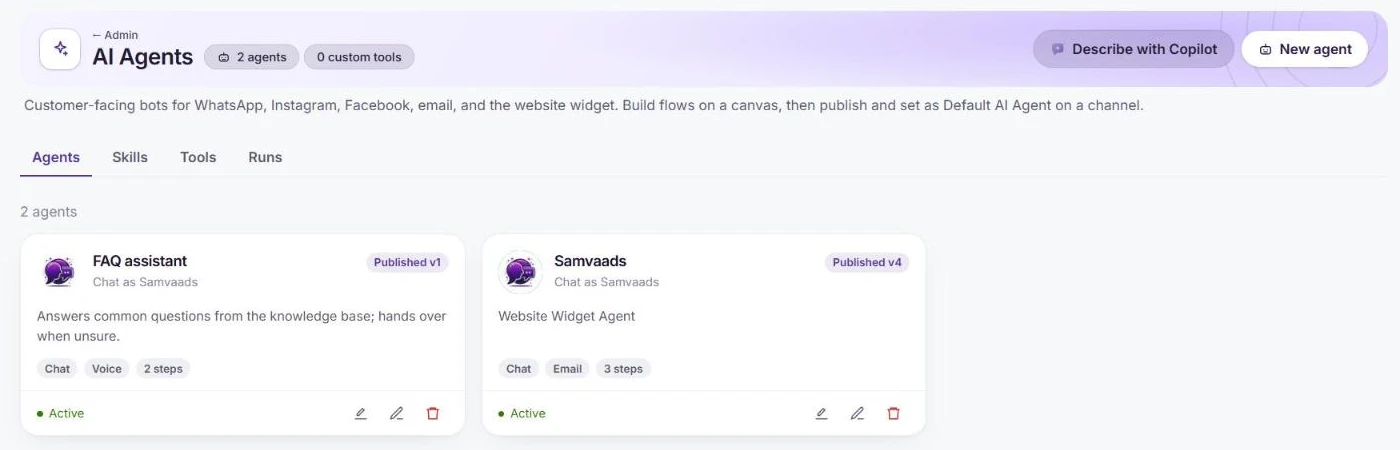
Start from New agent or Describe with Copilot. Draw the flow
On the Flow canvas, add steps from the palette: Message, Question, Choice, Condition, AI resolve (multi-turn answers from the knowledge base and tools until done or handoff), Run tool, HTTP tool, MCP tool, Handoff and End. Connect them by dragging from a step’s dot to the next one.
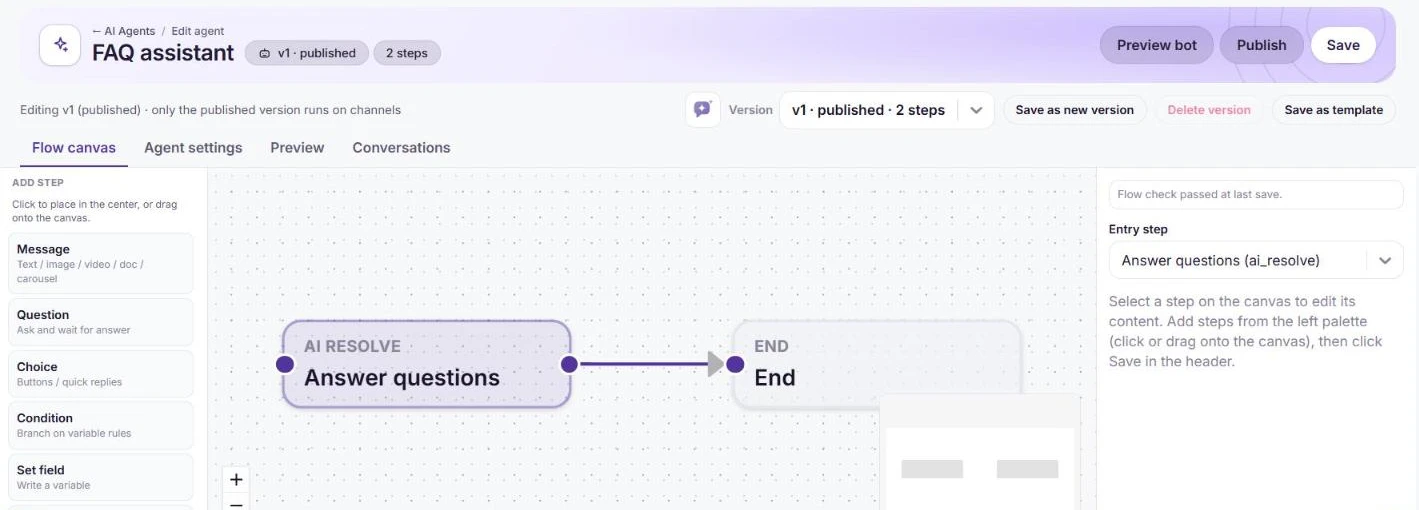
A simple flow: AI resolve, then End. Allow the tools it needs
In Agent settings, keep the channel mode on Chat, set the branding customers see, and allow tools such as Knowledge base search, Create ticket and Handoff to human. Scope tools to what the agent needs; refunds and other irreversible actions belong with a person.
Test in Preview
The Preview tab runs the draft flow like a live chat without sending anything to customers, and shows each step and tool call it made.
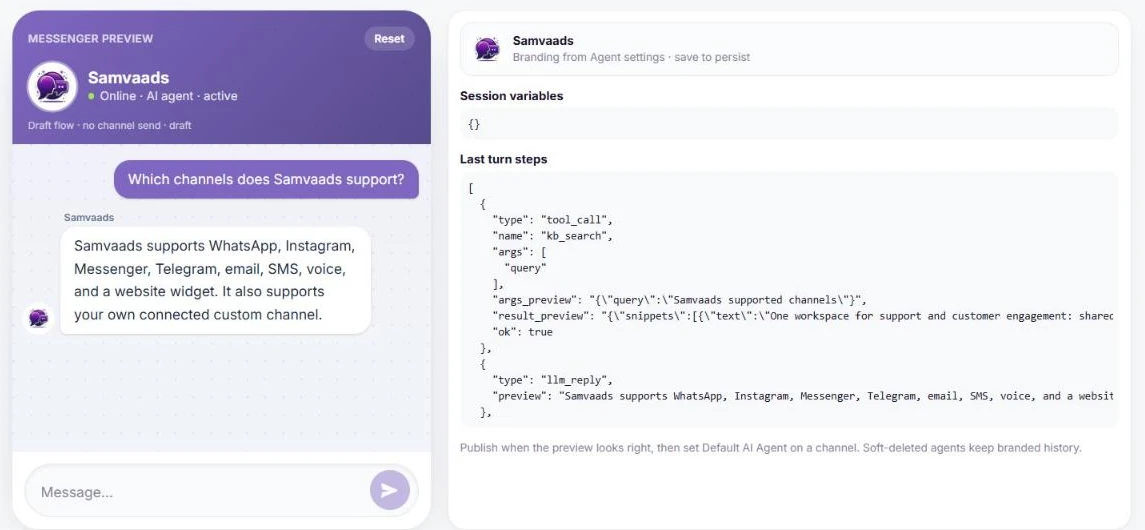
Preview shows the answer and the steps behind it. Publish and set it on WhatsApp
Publish the version; only the published version runs on channels. Then in Admin → Channels → WhatsApp (WABA), choose Configure on the number and set it as Default AI Agent (chat).
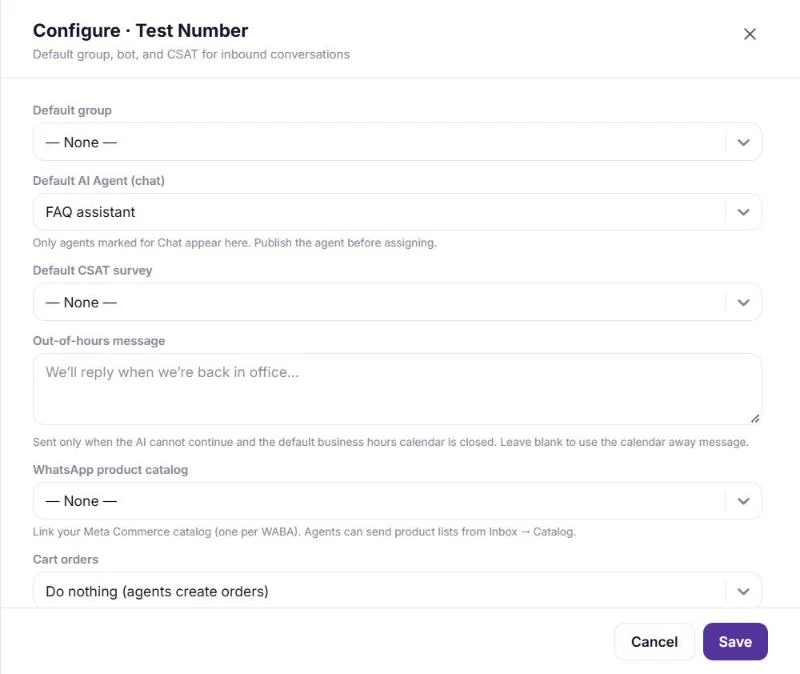
Set the agent as the number’s default.
Frequently asked questions
Will the agent make things up?
It answers from your knowledge base and the tools you allow, following the flow you approved, and hands over when it reaches the edge of what it knows. If it says it does not know something, add a knowledge base article for it.
Can the same agent answer calls?
Yes. Switch on the Voice calls channel mode in Agent settings. See how to deploy a voice AI agent on WhatsApp.
Want us to set it up with you?
Early customers onboard with our team beside them.