
How to connect your WhatsApp Business number to Samvaads
A WhatsApp Business app on one phone works until a second person needs to reply. Connecting the number to Samvaads moves it to the WhatsApp Business Platform, so the whole team works one queue, every chat links to the customer record, and you can send approved templates and campaigns.
What you need
- A personal or professional Facebook account at least one day old
- A Facebook Business Manager with your company name, business phone, website, email and address
- A phone number you can receive a verification code on
Steps
Start the connection
Go to Admin → Channels → WhatsApp (WABA) and choose Add new WhatsApp. You are redirected to Facebook login, where you pick or create the WhatsApp Business account and verify the number with the code Meta sends.
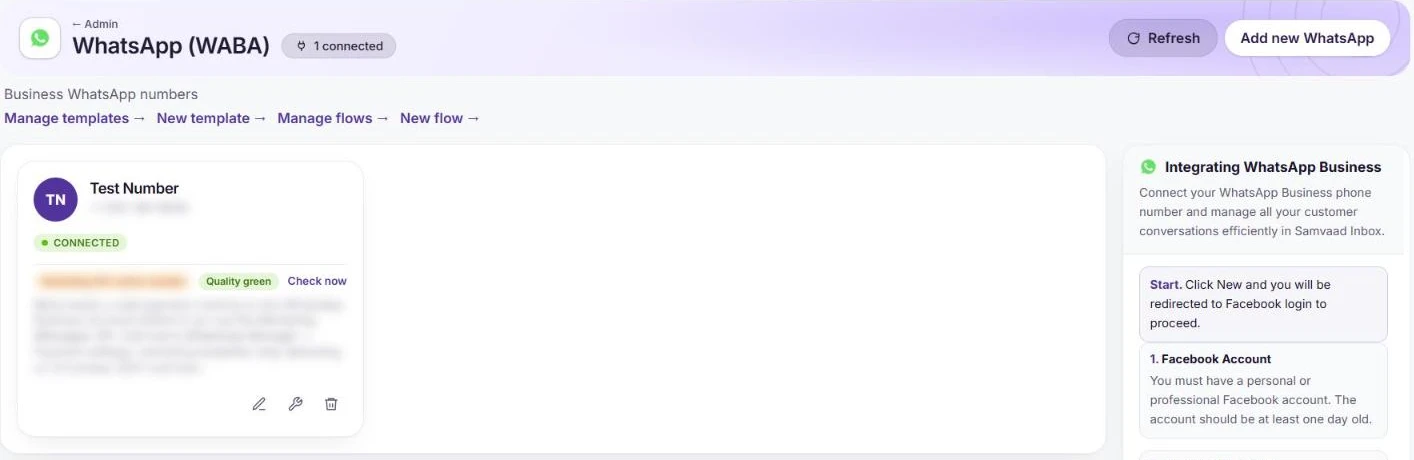
A connected number, with its quality rating and template and flow links. Check the number
The number appears as Connected with its quality rating. From the card you can edit the business profile, configure the number, or remove it; Manage templates and Manage flows are above the list.
Configure routing and the default AI agent
Choose Configure on the number. Set the Default group that gets new chats, the Default AI Agent (chat) that answers first (only published agents marked for Chat appear), the Default CSAT survey, and an Out-of-hours message for when the AI cannot continue and your calendar is closed.
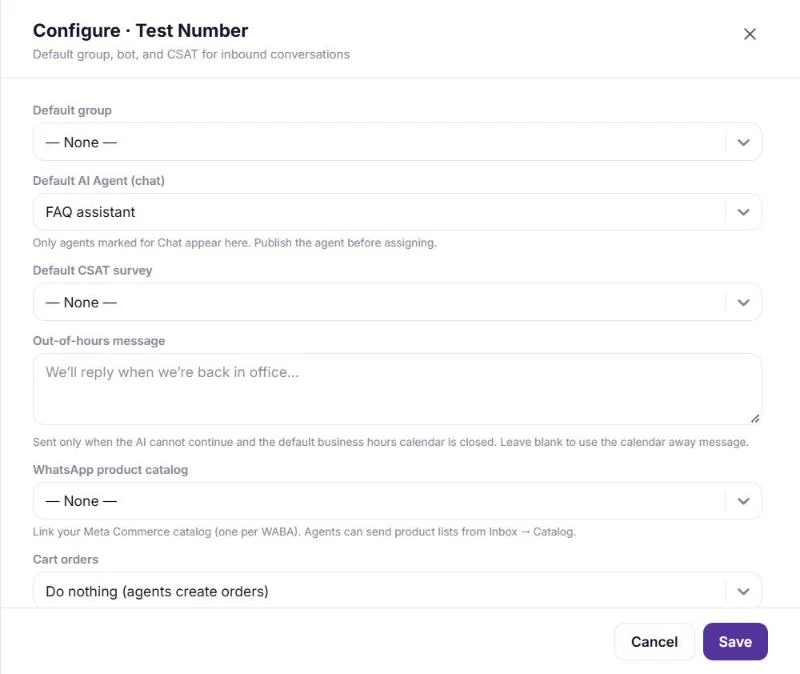
Defaults for a WhatsApp number. Add your first templates
Use New template to create the messages you start, such as order updates or reminders. Copilot can draft a template for you to review before you submit it to Meta.
Reply from the inbox
Send a test message to the number. It arrives in the Inbox with the contact created or matched, ready to reply, assign or turn into a ticket.
Frequently asked questions
Can more than one person reply from the same WhatsApp number?
Yes. Once connected, the number is shared: everyone with access works the same queue in the Inbox.
Can customers call the number too?
Yes. Turn on Calls in the number’s Configure panel and choose who answers. See how to deploy a voice AI agent on WhatsApp.
What does WhatsApp messaging cost?
Meta charges WhatsApp Business messaging fees by message category and recipient country, separately from your Samvaads plan. See the FAQ on WhatsApp message charges.
Want us to set it up with you?
Early customers onboard with our team beside them.