
How to invite your team and set roles and permissions in Samvaads
Two settings decide what a person experiences in Samvaads: their roles decide what they can open and change, and their groups decide which tickets and chats are routed to them. Get both right when you invite someone and the rest follows.
What you need
- Admin access to your Samvaads workspace
- Groups for your teams (helpdesk setup)
Steps
Open Users
Go to Admin → Team & access → Users. Every person is listed with their role and status; from a row you can resend the activation email or set a password.
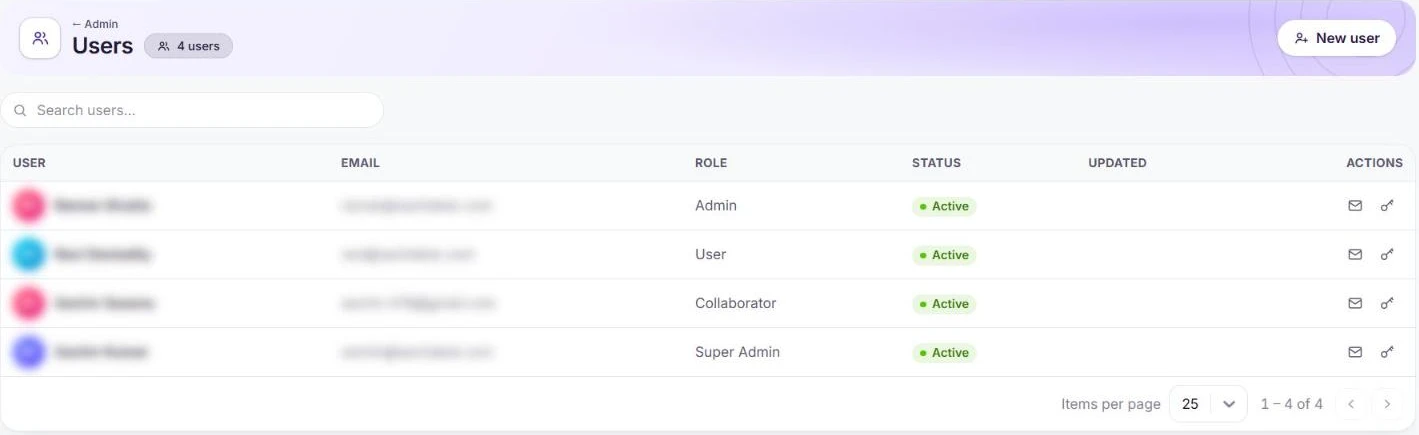
Users and their roles (names and emails blurred). Add a user
Choose New user. Pick the user type (Full Time, Incidental or Associate), enter their name and email, then choose at least one role and a group. Work details and locale are optional. They get an activation email to set their password.
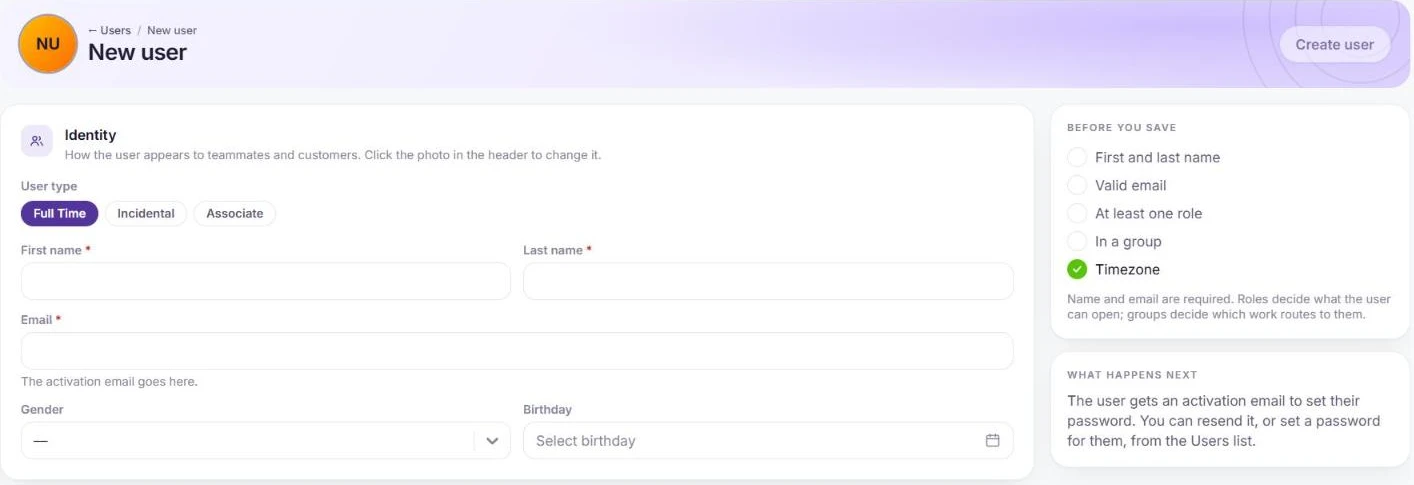
Name, email, at least one role, and a group. Pick the right role
Under Admin → Team & access → User roles, the default roles are Super Admin, Admin, Group Admin, User (the default agent role) and Collaborator. People get the union of all their roles, so keep each role focused on one job, and create your own with New role.
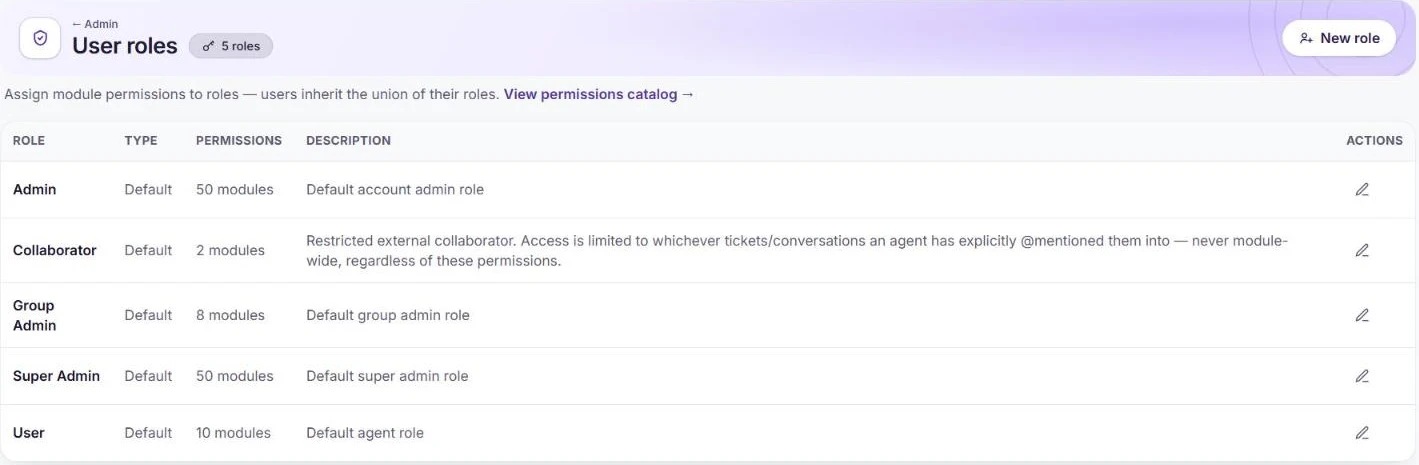
The default roles. Fine-tune permissions per module
Edit a role to grant Read, Write, Delete and Manage per module, such as tickets, conversations, contacts or the knowledge base, and set how much data each action reaches: the person’s own records, their group’s, or all of them.
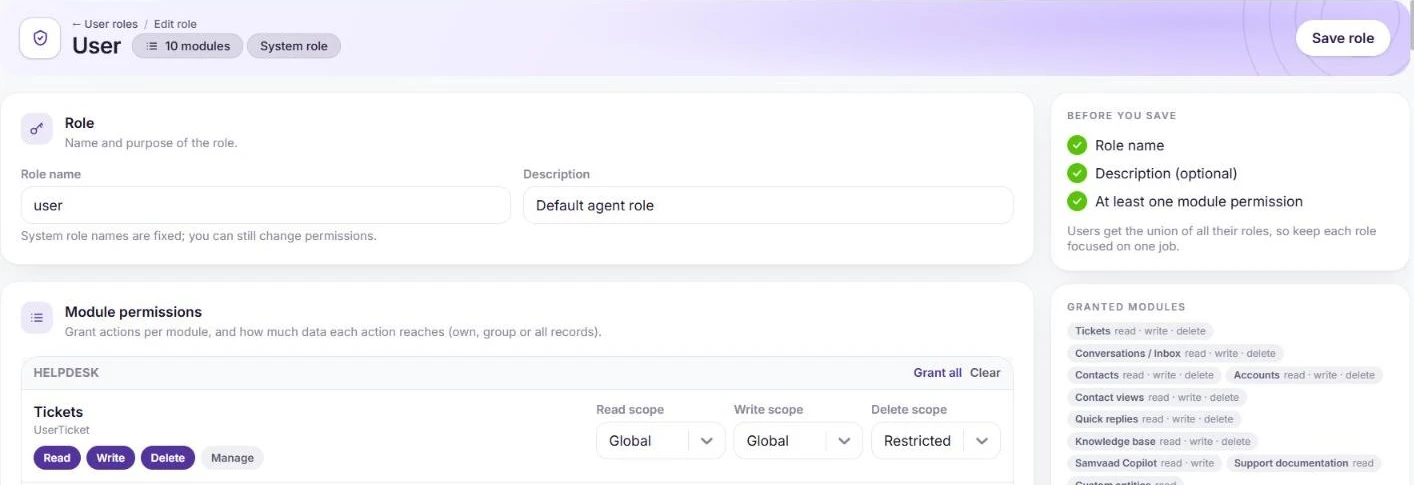
Actions and scope per module. Invite outside collaborators
Partners, vendors or client contacts can be added under Collaborators. They sign in like agents but only see a ticket or chat once an agent tags them with @name in a note, and get no other access to your workspace.

Collaborators see only what they are tagged into. Require MFA
In Admin → Team & access → Sign-in security, switch on Require authenticator app and set how long people have to enroll. You can also require an emailed sign-in code after password sign-ins; Google, Microsoft 365, SSO and mobile sign-ins skip it.
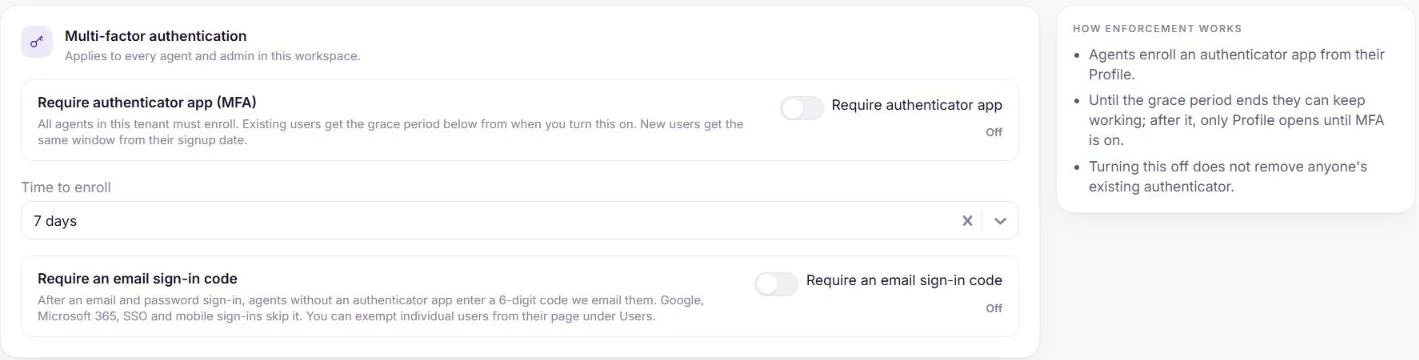
Authenticator app and email codes.
Frequently asked questions
Can someone have more than one role?
Yes. They get every permission from all of their roles combined.
Do collaborators count as agents?
They are a separate kind of user with restricted access, limited to the tickets and chats they are tagged into.
Want us to set it up with you?
Early customers onboard with our team beside them.