
How to set up SLAs and CSAT surveys in Samvaads
An SLA turns “someone should look at this” into “this breaches in two hours”. Set targets per priority, and keep chat and ticket SLAs separate: a customer on live chat expects minutes, a billing email can wait hours if the answer is right.
What you need
- Admin access to your Samvaads workspace
- Business hours set up (helpdesk setup)
Steps
Open SLA policies
Go to Admin → Helpdesk setup → SLA policies. Ticket SLAs and Chat SLAs are separate tabs. A ticket uses its group’s policy, otherwise the default policy.

SLA policies, with separate ticket and chat SLAs. Set targets per priority
Edit a policy and set First response, Next response and Resolve for Low, Medium, High and Urgent, in minutes. With Business hours on, the clock only runs while the group’s calendar is open.
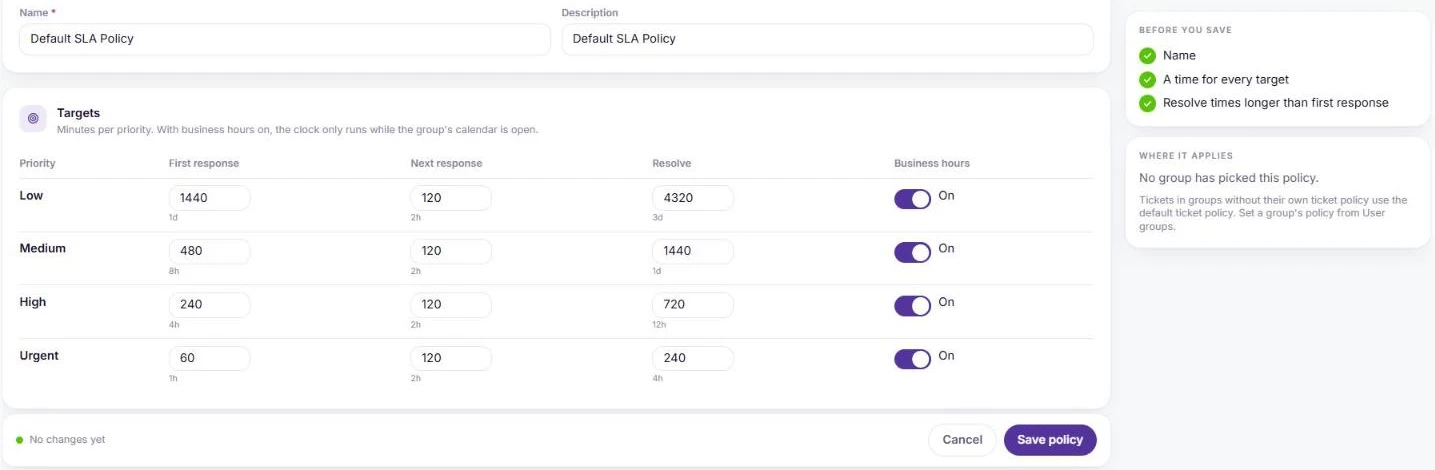
Targets per priority, with business hours on. Let groups pick their own policy
A group can use its own SLA policy from its settings page under User groups; everything else uses the default.
Set up CSAT
In Admin → Helpdesk setup → CSAT surveys, edit the Default CSAT survey (every workspace has one; it can be edited but not deleted) or add a new one. Scores are always captured against a ticket or conversation, and recent responses show below.
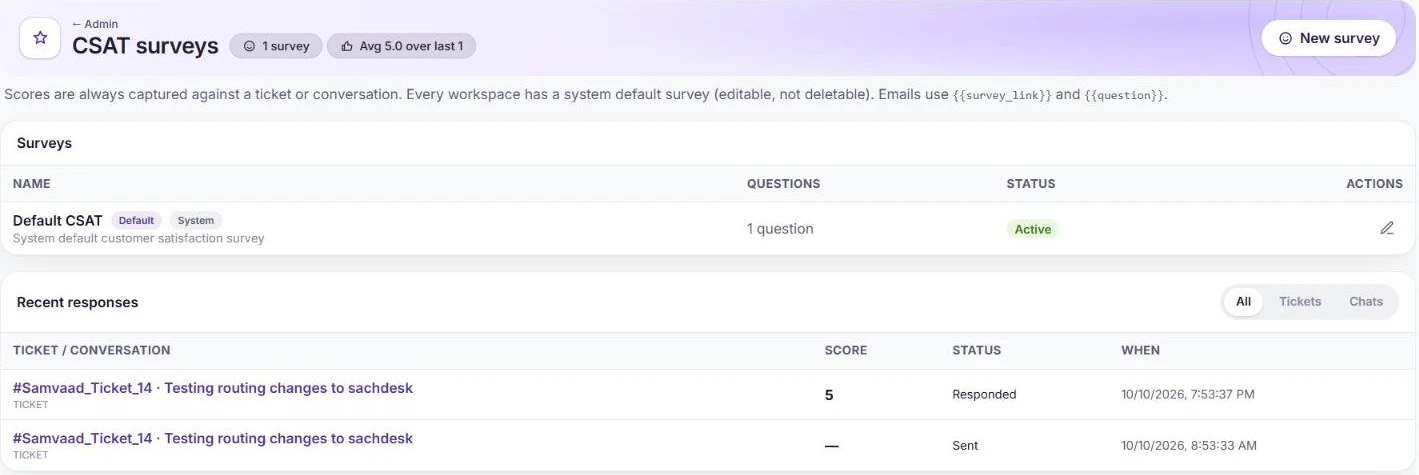
CSAT surveys and recent responses. Pick the survey on each channel
Choose the Default CSAT survey in a channel’s settings, for example in the WhatsApp number’s Configure panel, then watch SLA attainment and CSAT on the dashboards.
Frequently asked questions
Can we have different SLAs for different teams?
Yes. Create several policies and pick one per group from the group’s settings.
Where do we read more about running an SLA programme?
See the guide building an SLA program that works.
Want us to set it up with you?
Early customers onboard with our team beside them.