
How to build the knowledge base your AI agents answer from
Your AI agents only say what your knowledge base and tools support. If an agent answers “I do not have that information”, the fix is almost always an article, not a different prompt. Start with the ten questions customers ask most.
What you need
- Permission to edit the knowledge base
- Your top customer questions, from recent tickets and chats
Steps
Create categories and articles
Open Knowledge base from the left menu. Group articles into categories with New category, then write each answer with New article. Add tags to keep articles easy to find; each article shows its helpful and not-helpful votes.
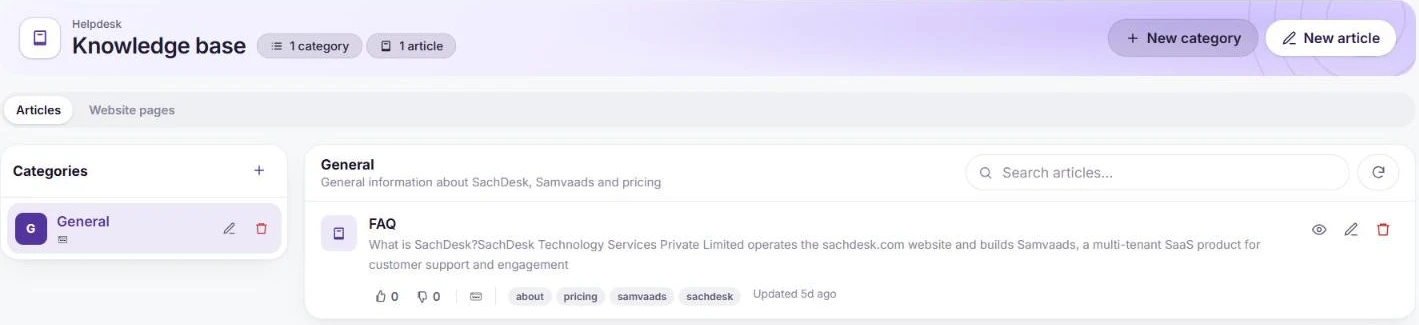
Categories on the left, articles on the right. Add your website
On the Website pages tab, choose Add website. Your AI agent reads your public pages and uses them alongside your articles; each site shows how many pages were read and when it was last refreshed, and can be switched on or off.
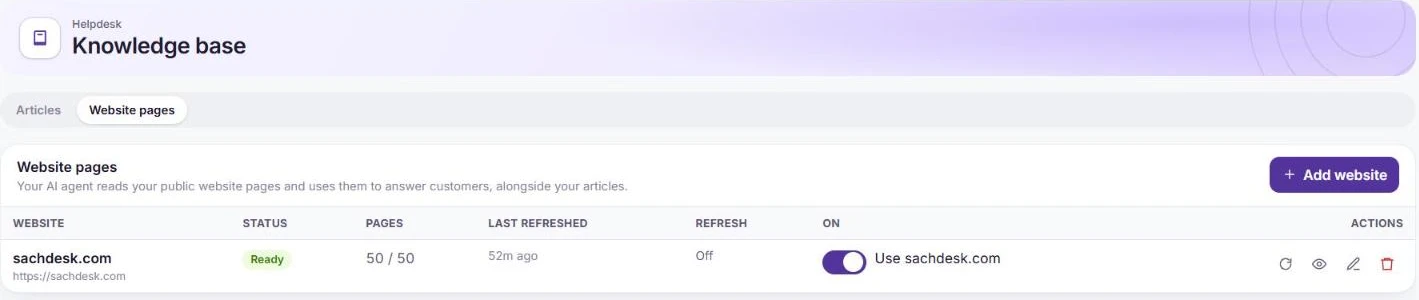
A website the AI reads alongside your articles. Test what the agent says
Open your agent in Admin → Automation & AI → AI agents and ask questions in Preview. The steps beside the answer show which articles or pages it used. Fill any gap with a new article and ask again.
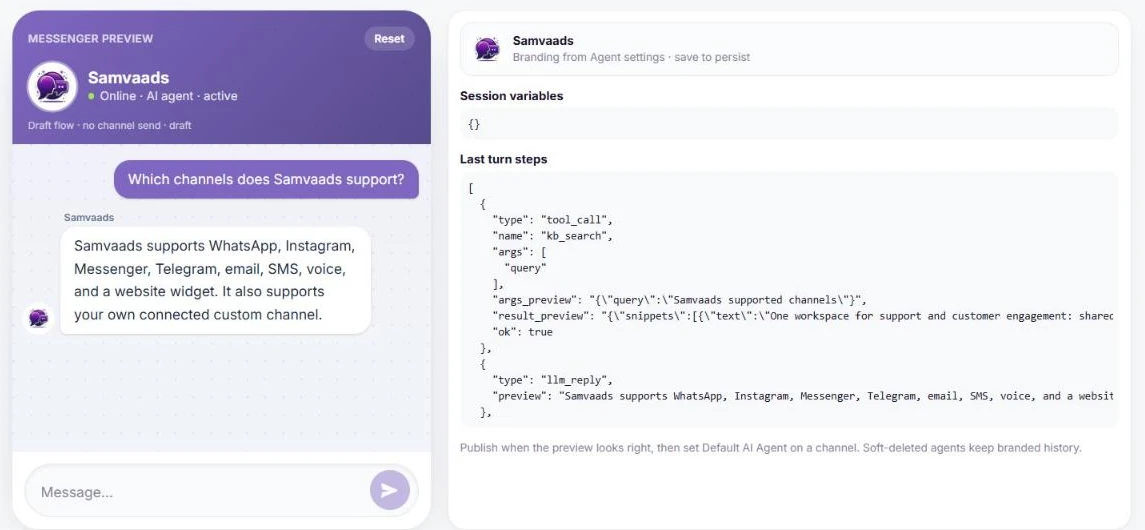
Preview shows which content each answer came from.
Frequently asked questions
Do Copilot and AI agents use the same knowledge base?
Yes. Copilot drafts replies for your team from it, and AI agents answer customers from it.
How often are website pages refreshed?
Each site has its own refresh setting, and you can refresh it on demand from the Website pages tab.
Want us to set it up with you?
Early customers onboard with our team beside them.