
How to set up your helpdesk in Samvaads: teams, routing and privacy
Channels bring the work in; the helpdesk setup decides who gets it and when. Do this before you connect busy channels, so the first ticket already lands with the right team.
What you need
- Admin access to your Samvaads workspace
- Your team list, and the hours each team works
Steps
Create a group for each team
Go to Admin → Team & access → User groups and choose New group. Groups are the teams tickets and chats are routed to; each one can have its own business hours and SLA.

User groups, each with its own hours and SLA. Add members and pick the group’s hours and SLA
Open the group to add people (changes apply right away), choose its Business hours calendar and its SLA policies for tickets and chats, and decide whether it uses its own assignment rules or the workspace routing.
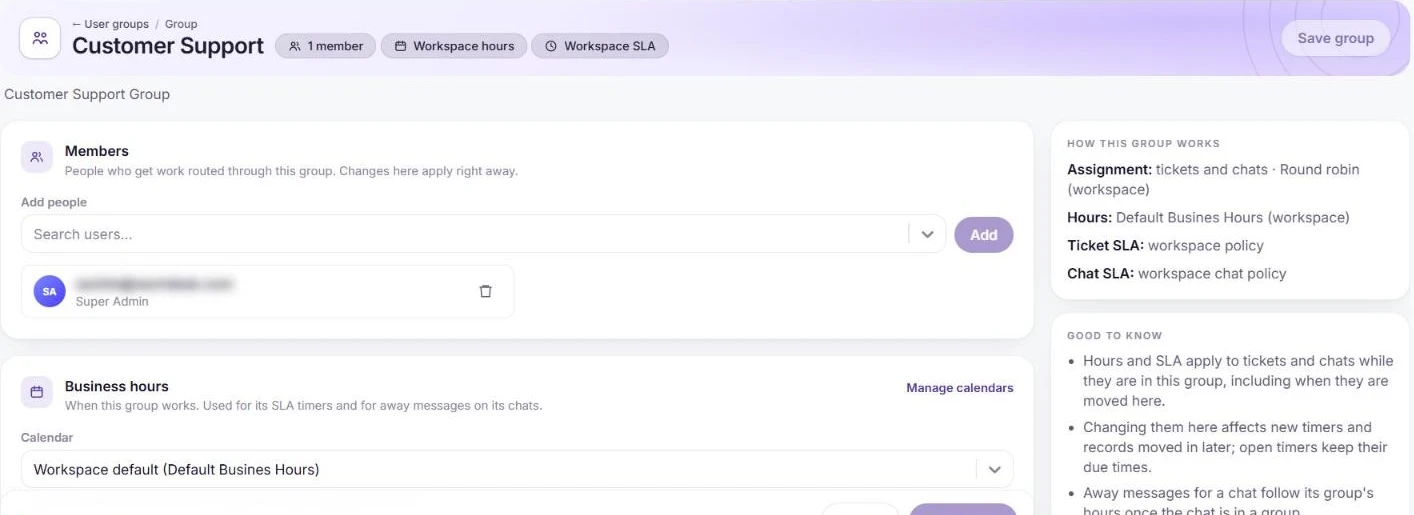
A group’s members, hours, SLA and assignment. Choose how work is assigned
Go to Admin → Automation & AI → Routing & macros. Switch on Auto-assign tickets and Auto-assign chats, pick the Assignment strategy (round robin, load-balanced or skill-based) and set Max open per agent. Chats an AI agent is handling are assigned when it hands off.
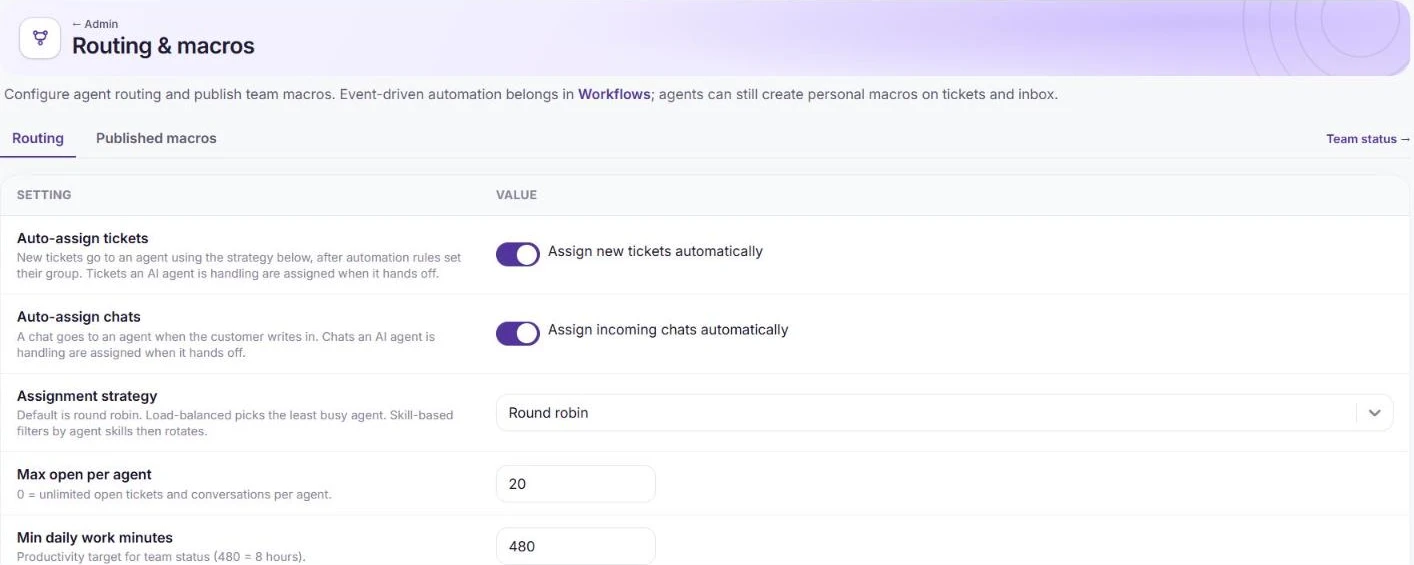
Routing: auto-assign, strategy and limits. Set business hours
In Admin → Team & access → Business hours, set working days, the timezone and holidays. Several calendars can be on at once: a group uses its own, everything else uses the default.

Business hours calendars. Review the privacy defaults
In Admin → Helpdesk setup → Helpdesk settings, contact details are masked for agents by default and every reveal is audited. You can also redact card numbers and CVVs from incoming messages, and mask personal data in incoming messages and emails.
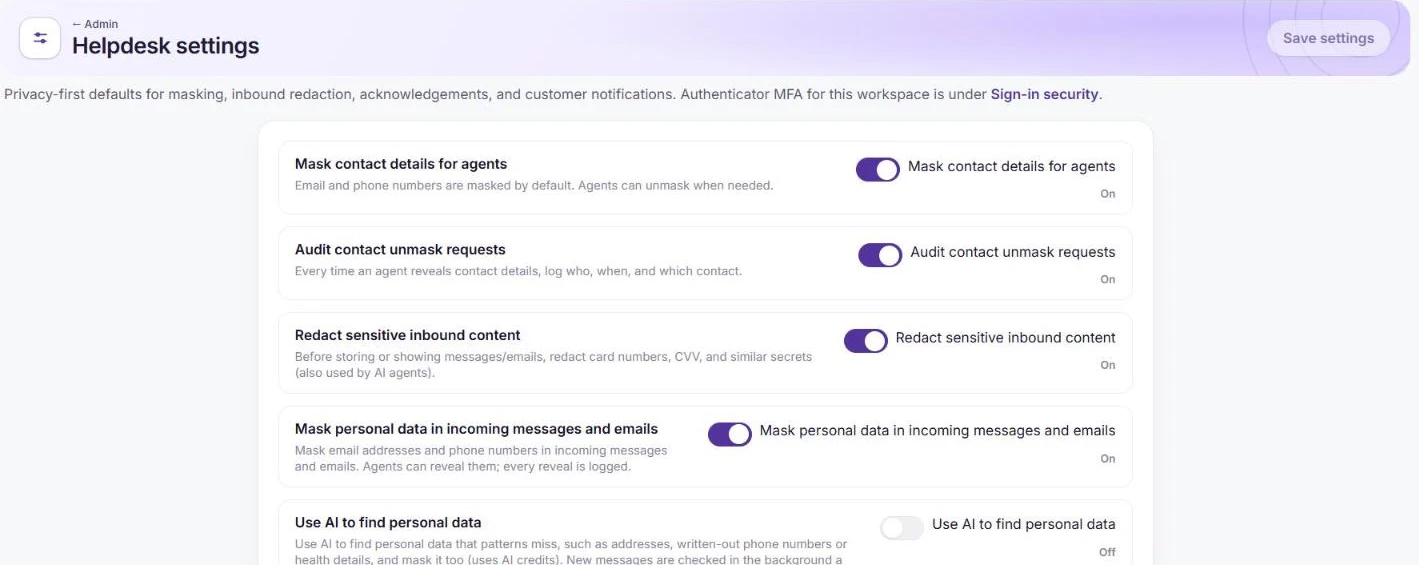
Privacy defaults in Helpdesk settings.
Frequently asked questions
What is the difference between groups and roles?
Groups decide where work is routed; roles decide what each person can see and do. Roles are under Admin → Team & access → User roles.
Next step?
Set response and resolution targets: see how to set up SLAs and CSAT.
Want us to set it up with you?
Early customers onboard with our team beside them.