
How to give each support topic its own AI agent and team
One agent for everything gets vague. A refunds agent that knows the refund policy and hands over to billing, and an order-status agent that looks up orders, each do one job well.
What you need
- A published AI agent for each topic (build one)
- A group for each team that takes the handoff
Steps
Create topics
Go to Admin → Automation & AI → Support topics and choose New topic. Give it a name, the menu label customers see, the chat AI agent that answers it, and the handoff group that takes over.
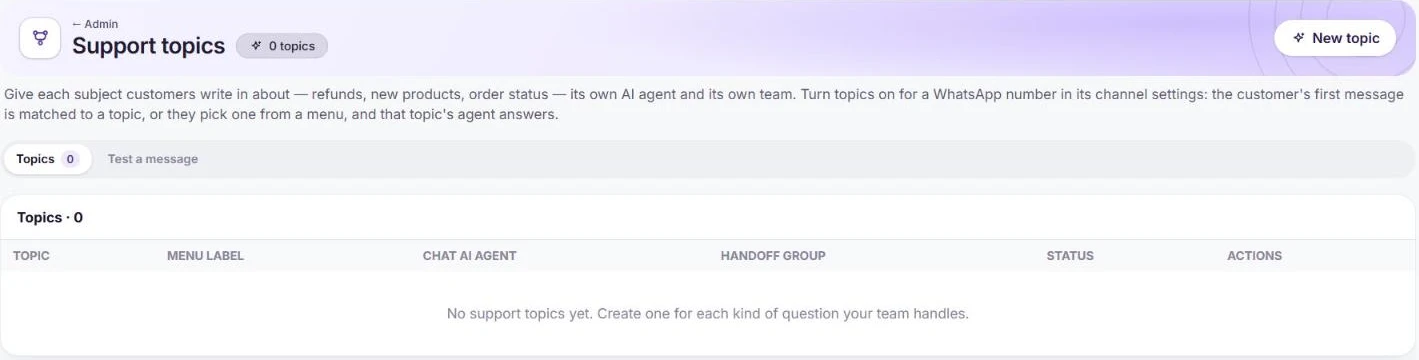
Each topic gets an agent and a handoff group. Test how messages are matched
Use Test a message to type a customer message and see which topic it lands in.
Turn topics on for the number
In Admin → Channels → WhatsApp (WABA), choose Configure on the number and switch on Support topics. Topics without an agent use the number’s default AI agent.
Frequently asked questions
What if a message does not match any topic?
Customers can also pick a topic from the menu, and topics without their own agent use the number’s default AI agent. Use Test a message to check your wording before you switch topics on.
Want us to set it up with you?
Early customers onboard with our team beside them.