
How to customise ticket fields and forms, and import your contacts
Custom fields capture what your team needs on every ticket, such as an order number or a product, and the contact import means the first message from an existing customer already lands on their record.
What you need
- Admin access to your Samvaads workspace
- Your contacts in a spreadsheet, with a mobile number for each
Steps
Add ticket fields
Go to Admin → Customizations → Ticket fields. Drag a type onto the list, or use +: Text, Multiline Text, Number, Radio Button, Checkbox, Dropdown or Date. Built-in fields such as Requester, Subject, Issue Type, Status and Priority are already there; drag fields to reorder them, and the order saves right away.
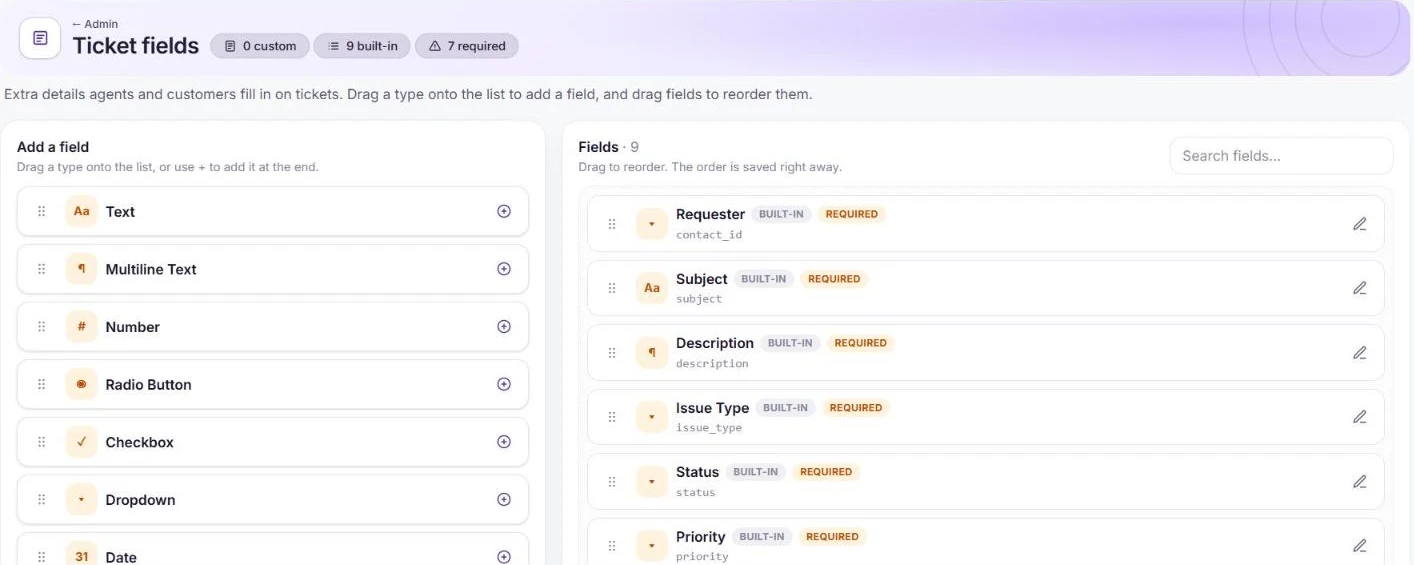
Field types on the left, your fields on the right. Choose fields per form
In Admin → Customizations → Ticket forms, a form decides which fields appear, and in what order, when agents or customers raise that kind of ticket. Start from the default Report an issue form, or add one with New form.

The default ticket form. Import your contacts
Go to Admin → Helpdesk setup and open the contact import. Download the CSV or Excel template, fill in a row per contact (mobile is required), and upload it. Extra columns can be mapped to custom contact fields. The import runs in the background and notifies you when it finishes; accounts have their own import beside it.
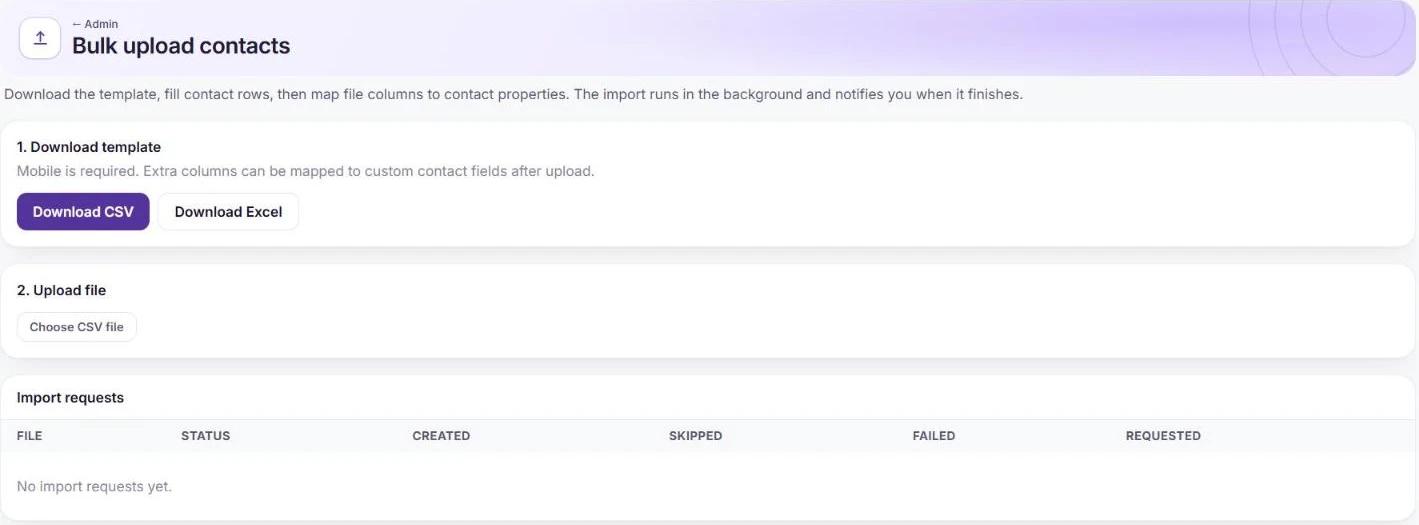
Download the template, then upload your file.
Frequently asked questions
What happens to rows that fail?
Each import lists how many contacts were created, skipped and failed, so you can fix the file and upload the rest.
Want us to set it up with you?
Early customers onboard with our team beside them.