
AI voice agents for customer calls in 2026: what they do, and how to set one up
What an AI voice agent actually does on a support or sales call, where it helps, where it should hand over, and the steps to put one on your business number.
 The Samvaads teamOct 20, 20264 min read
In this post
What is an AI voice agent?
An AI voice agent is software that picks up a phone call, understands what the caller says, answers in a natural voice, and takes simple actions, such as looking up an order or booking a slot. It is the spoken version of the AI agents many teams already run on WhatsApp or website chat.
It is not the same as an IVR menu. An IVR asks callers to press 1 or 2 and routes them. A voice agent listens to the reason for the call and deals with it, or routes it with the reason already written down.
Why teams are adding one now
Missed calls are missed customers
A caller who hits a busy line at lunchtime or after hours rarely leaves a voicemail. They call the next business on the list. An agent that answers every call, even only to take details and promise a callback, keeps that customer.
Most calls are the same five questions
Where is my order, can I change the address, what time do you open, can I move my appointment, how do I return this. These are answerable from your policies and your order system, and they are exactly the calls your team finds least rewarding.
Your team gets the calls that need them
When routine calls are handled, the people on your queue spend their time on the complaint, the large order, or the customer about to leave, which is where a human voice actually changes the outcome.
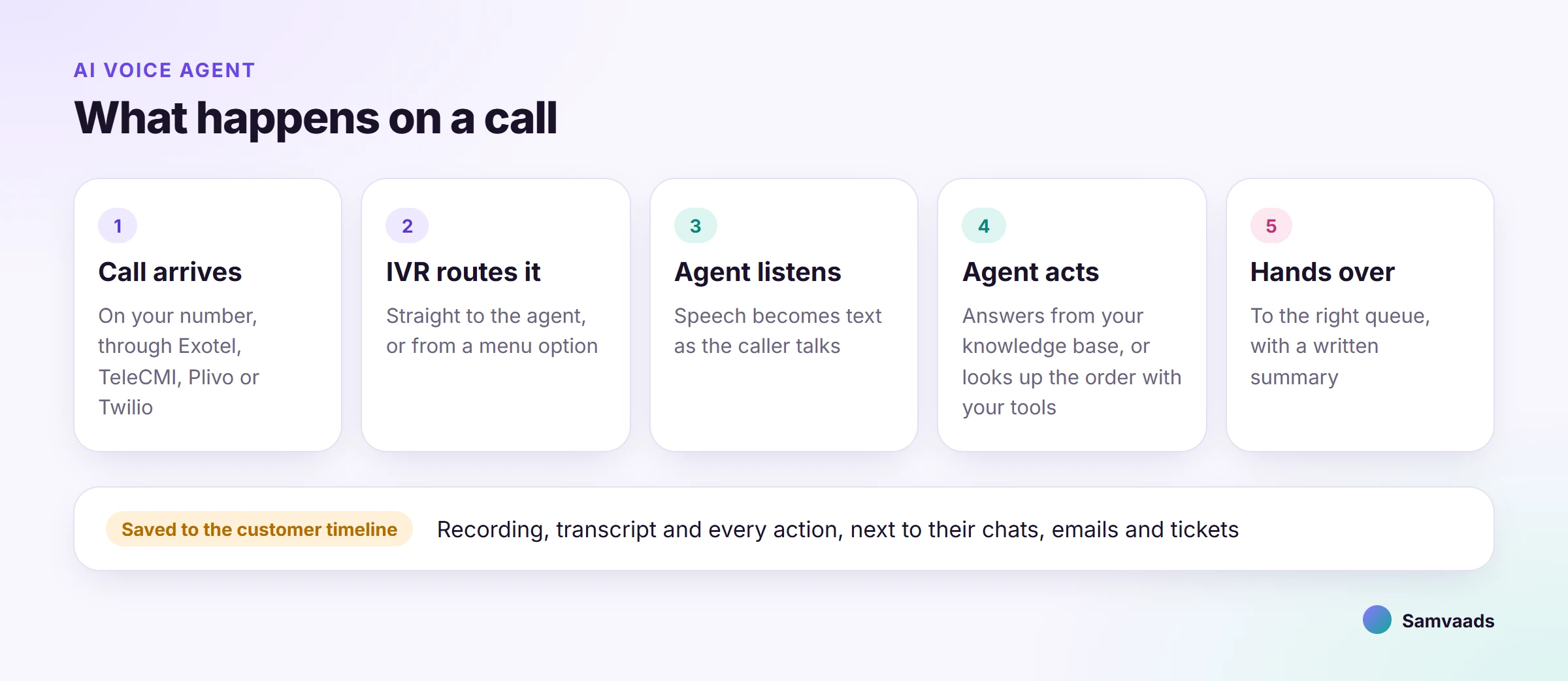
How a voice agent works during a call
- The call arrives
on your business number through your telephony provider and is routed to the agent, either straight away or from an IVR option.
- Speech becomes text
The agent transcribes what the caller says as they say it.
- The agent decides what to do
by following the flow you designed: answer from your knowledge base, call a tool to look something up, or hand over.
- Text becomes speech
The reply is spoken back in a natural voice.
- Everything is recorded
The recording, the transcript, and any actions taken are saved to the customer's timeline.
- Handover, when needed
The call moves to a queue, and the person who answers gets a summary of what was said.
What to look for in a voice agent
- Grounded answers
It should answer from your knowledge base and your data, not from what a language model thinks is plausible.
- A flow you can see and test
You should be able to read the branches and simulate the agent before any customer hears it.
- Tools with limits
Looking up an order is fine. Issuing refunds or changing account details should stay with a person.
- A clean handover
Transfer to the right queue with a written summary, not a cold transfer.
- One timeline
Calls should sit with the customer's chats, emails, and tickets, not in a separate phone system.
- Your own telephony
You should not have to move numbers or sign a new carrier contract to add AI.
Where it helps most
Customer support
Order status, delivery changes, return policies, and opening hours. The agent answers, logs the call, and opens a ticket when a person needs to follow up.
Sales and enquiries
Ask the qualifying questions you define, capture the lead, and transfer serious buyers to sales with their answers attached.
Bookings and reminders
Clinics, salons, service centres, and coaching institutes take a large share of calls that are about a time slot. An agent connected to your booking system can confirm, move, or cancel them.
How to set one up in Samvaads
Samvaads runs voice on the cloud telephony you already use, so calls land in the same inbox as WhatsApp, email, and chat. The short version:
- Connect your provider (Exotel, TeleCMI/PIOPIY, or Plivo for India numbers, Twilio for international) under Admin → Channels → Voice.
- Set business hours and create the queues calls can go to.
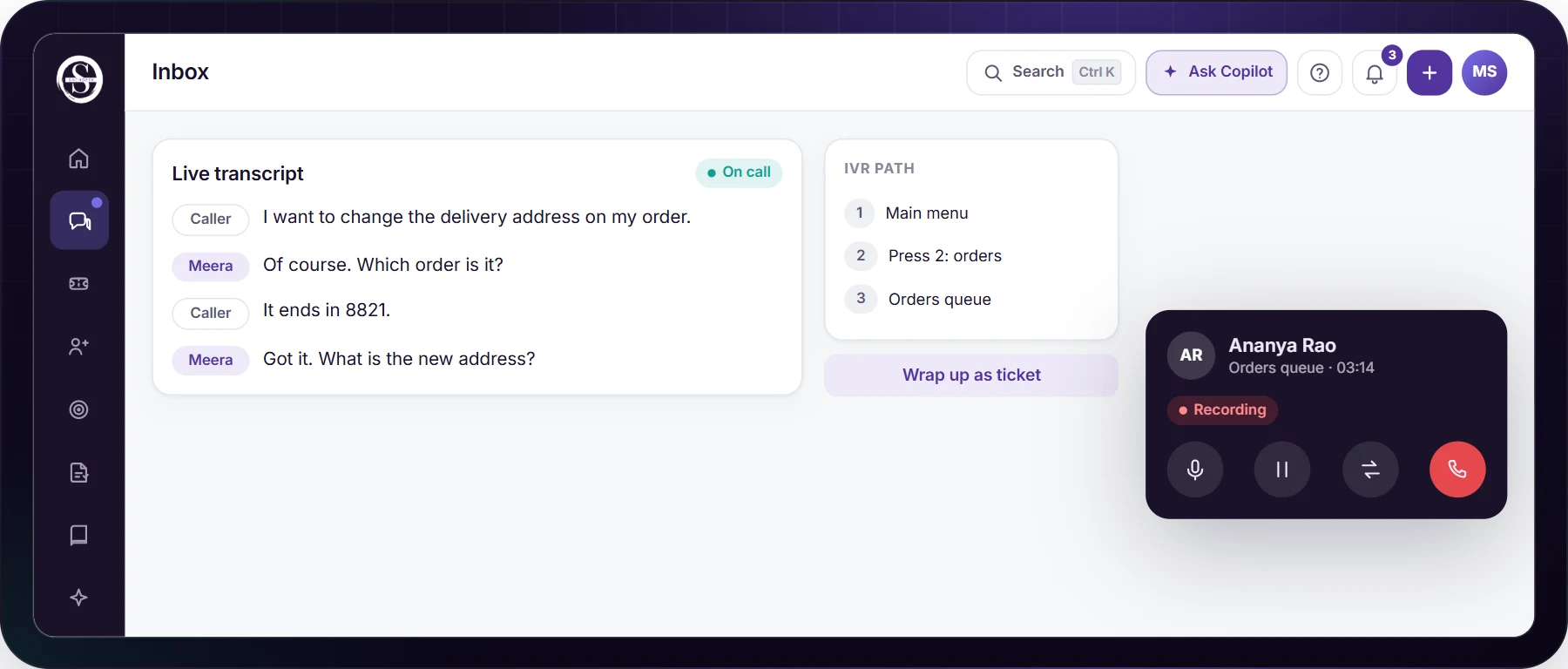
- Build your IVR and route an option, or every call, to the AI agent.
- Draw the agent's flow on the canvas, ground it in your knowledge base, and add tools for order or booking lookups.
- Add a handoff step to the right queue.
- Simulate the agent with real caller questions, then publish it to the voice channel.
The full walkthrough, with what you need before you start, is in our guide: how to set up an AI voice agent for your business calls.
Questions people ask
Will callers know they are talking to AI?
They should. Have the agent introduce itself as an assistant and offer a person. Callers are far more patient with an assistant that is upfront and quick than with one pretending to be human.
What happens if the agent does not understand?
It should ask once more, then hand over. Design the fallback branch first; it is the one that protects the customer experience.
Is the call data safe?
In Samvaads, recordings and transcripts stay in your own workspace, contact details are masked until an agent asks to see them, and every reveal is recorded. See how we handle data.
Does it replace our call centre team?
No. It takes the repetitive calls so your team can handle the ones that need judgement. The handoff is part of the design, not a failure mode.
Further reading
See it running in Samvaads
Everything described here is a real, shipping part of the product, not a roadmap item.