
WhatsApp AI agents for business: real use cases and how to build one that hands over well
What a WhatsApp AI agent should handle, what it should leave to your team, and a step-by-step way to build, test, and publish one.
 The Samvaads teamOct 20, 20263 min read
In this post
What is a WhatsApp AI agent?
It is an assistant connected to your WhatsApp Business number that replies to customers on its own. Unlike a keyword bot, it understands questions written in everyday language, and unlike a general chatbot, it answers from your business's information rather than the open web.
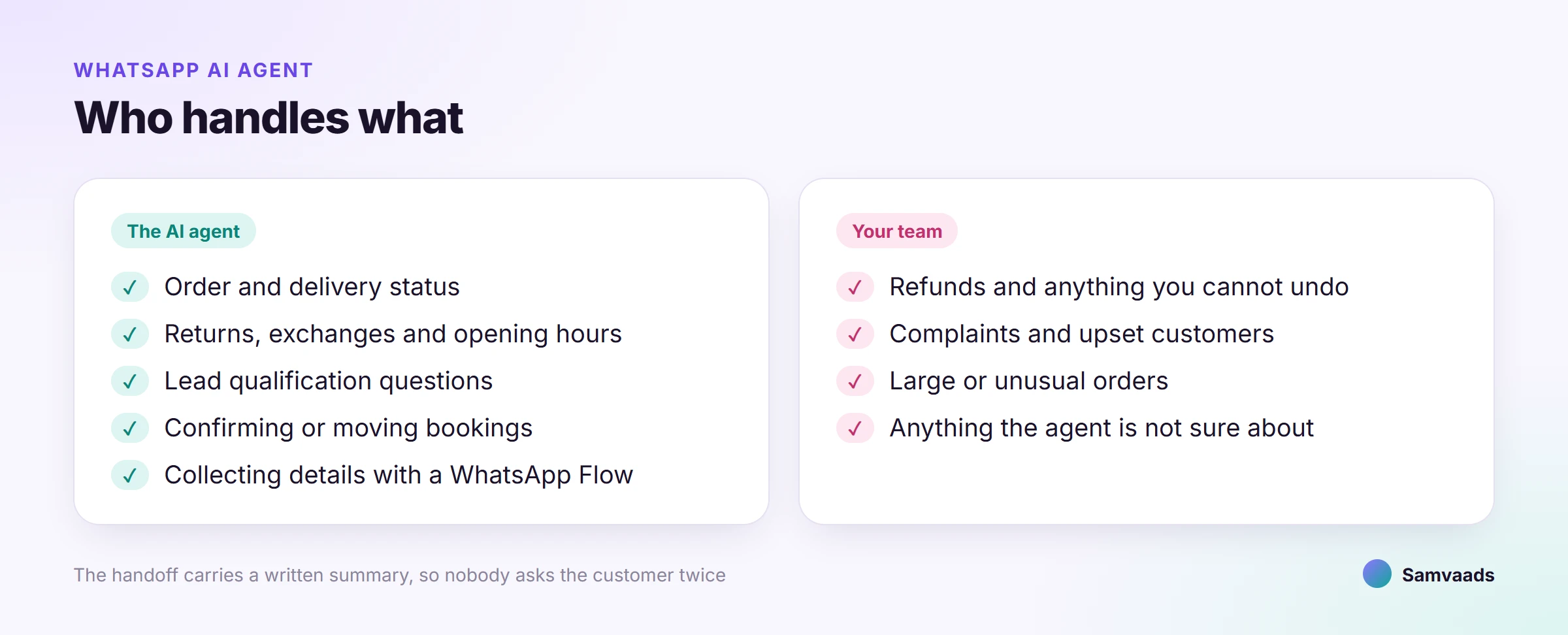
What it should handle
- Order and delivery status
, looked up from your store or order system by order number.
- Policy questions
such as returns, exchanges, warranty, and opening hours, answered from your knowledge base.
- Lead qualification
the three or four questions your sales team always asks, with the answers saved to the lead.
- Bookings
confirming, moving, or cancelling an appointment through your booking system.
- Collecting details
with a WhatsApp Flow, such as an address change or a service request form.
What it should leave to your team
- Refunds, cancellations with a cost, and anything else you cannot undo.
- Complaints and upset customers.
- Large or unusual orders where a conversation wins the deal.
- Anything the agent is not sure about. A quick handoff beats a confident wrong answer.
How to build one in Samvaads
- Pick the jobs
Look at last month's WhatsApp messages and list the questions that make up most of them.
- Write the knowledge
One clear article per policy. The agent is only as good as what it reads.
- Draw the flow
In Admin → Automation and AI → AI agents, add a greeting, a branch per job, and a fallback.
- Add tools
Connect an HTTP endpoint or MCP tool for order or booking lookups, scoped to read what it needs.
- Add the handoff
Route to the right team; the person who picks up gets a written summary.
- Simulate
Test with real customer wording, including the awkward messages.
- Publish and deploy
the version to your WhatsApp number, then read the first day's handoffs and fill the gaps.
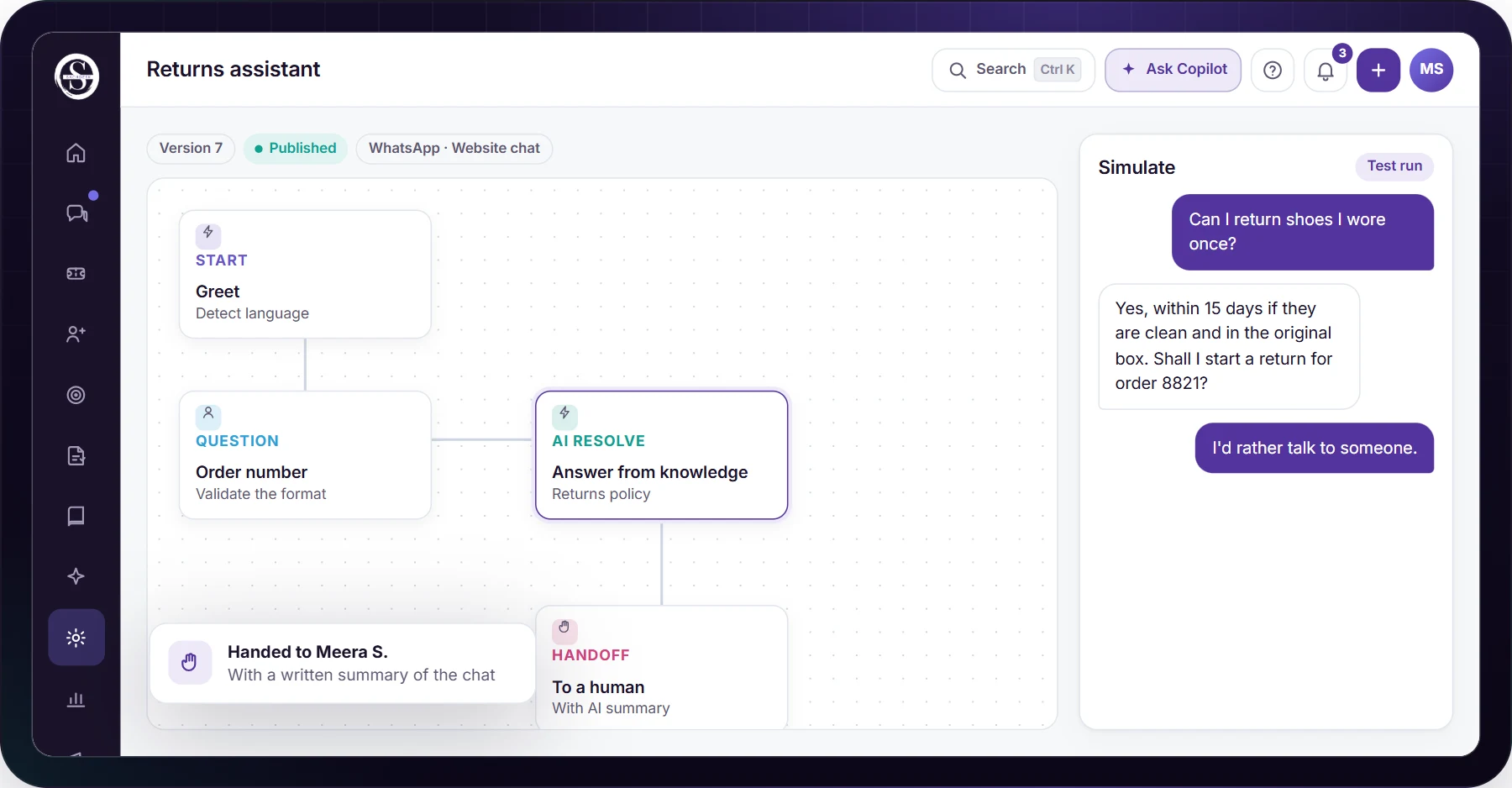
Step-by-step detail is in the guide: how to build an AI agent that answers on WhatsApp. If your number is not connected yet, start with connecting WhatsApp Business.
How to tell if it is working
- Resolution rate
conversations the agent closed without a handoff, and whether those customers came back with the same question.
- Handoff reasons
the summaries tell you which knowledge is missing.
- Response time and CSAT
across the whole queue, not just the agent's conversations.
Questions people ask
Can the agent work on Instagram and the website too?
Yes. A published agent in Samvaads can be deployed to WhatsApp, Instagram, Messenger, email, the website widget, and voice.
Can a person take over mid-conversation?
At any time, in the same thread, with the conversation so far summarised.
What does WhatsApp messaging cost?
Meta sets WhatsApp Business messaging fees by message category and country, separately from your Samvaads plan. See what WhatsApp messages cost.
Further reading
See it running in Samvaads
Everything described here is a real, shipping part of the product, not a roadmap item.