
Put a voice AI agent on your WhatsApp calls: how to deploy one in Samvaads
Customers can now call the WhatsApp number they already chat with. Here is how to deploy a voice AI agent that answers in their language, knows their history, and hands over to your team when it should.
 The Samvaads teamOct 20, 20265 min read
In this post
Why put a voice agent on WhatsApp
Your customers already have your number saved in WhatsApp, with the order and the last conversation right there. When typing stops working, they tap call. Most of those calls are the same handful of questions, and they arrive at lunch, after hours, and all at once after a campaign. A voice agent answers every one immediately, in the caller's language, and passes the ones that need a person to your team with the context written down.
What the voice agent does on a call
- Knows who is calling
It can greet a returning customer, mention an open ticket or chat, and look up their tickets.
- Answers like your chat agent
It uses the same published prompt, knowledge base and tools, so callers hear what chat customers read.
- Speaks their language
English, Hindi, Marathi or Telugu. It can ask new callers which language they want, saves the choice on the contact so the next call starts in it, and switches when the caller says a language name.
- Hands over cleanly
When a person should follow up, it opens a callback ticket with a summary of the call. WhatsApp calls cannot be transferred, so the callback is the handoff.
- Leaves a record
The transcript is saved on the call and as a private note in the customer's WhatsApp chat.
Deploy it in four steps
1. Pick or build the agent
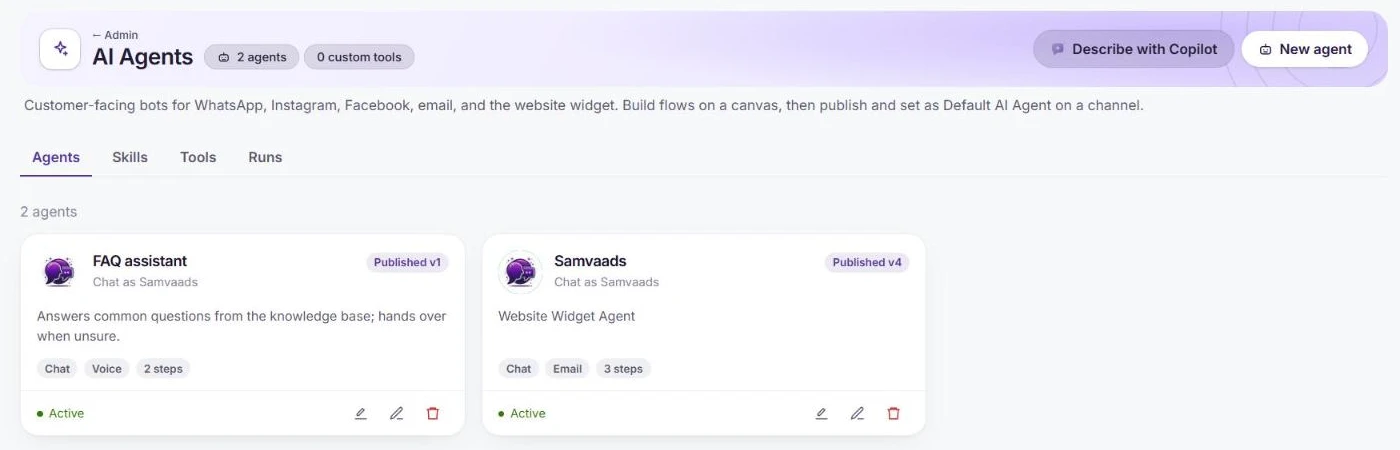
Go to Admin → Automation & AI → AI agents. Use an agent you already run on chat, or create one with New agent or Describe with Copilot. Each card shows the channel modes the agent runs on.
2. Switch on Voice calls, then choose the voice and languages
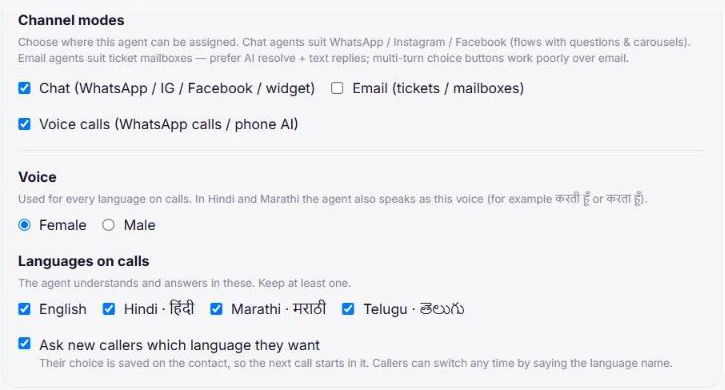
In the agent's Agent settings, under Channel modes, tick Voice calls (WhatsApp calls / phone AI). Choose a female or male voice; in Hindi and Marathi the agent also speaks in that voice's grammatical gender. Tick the Languages on calls you want, and leave Ask new callers which language they want on.
3. Test it before anyone calls
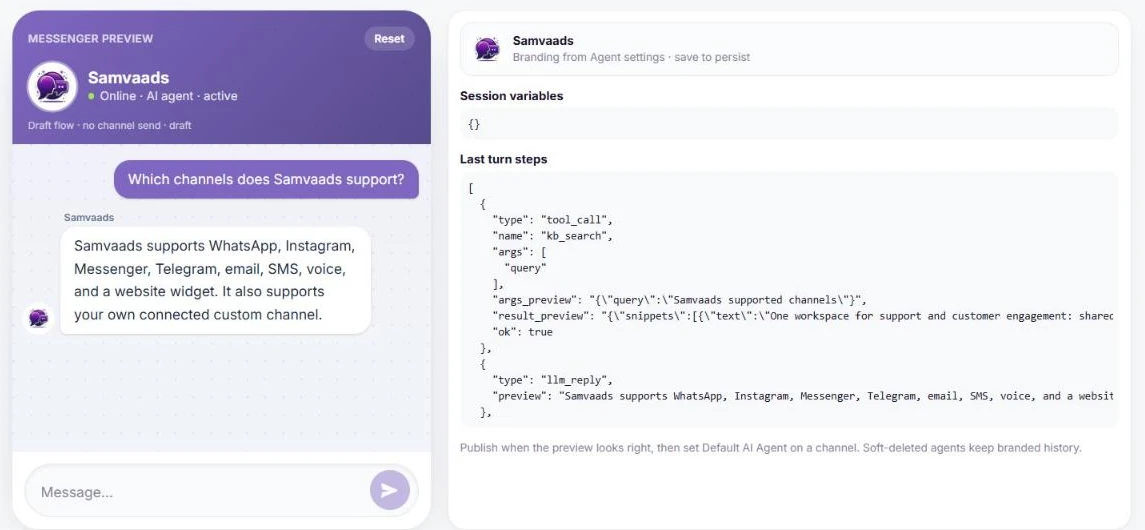
The Preview tab runs the draft agent like a live conversation and sends nothing to customers. Ask what callers really ask: the panel beside it shows every knowledge base search and tool call, so you can see where each answer came from. If the agent says it does not know something, add a knowledge base article and test again. Then Publish; only the published version runs on channels.
4. Put it on your WhatsApp number
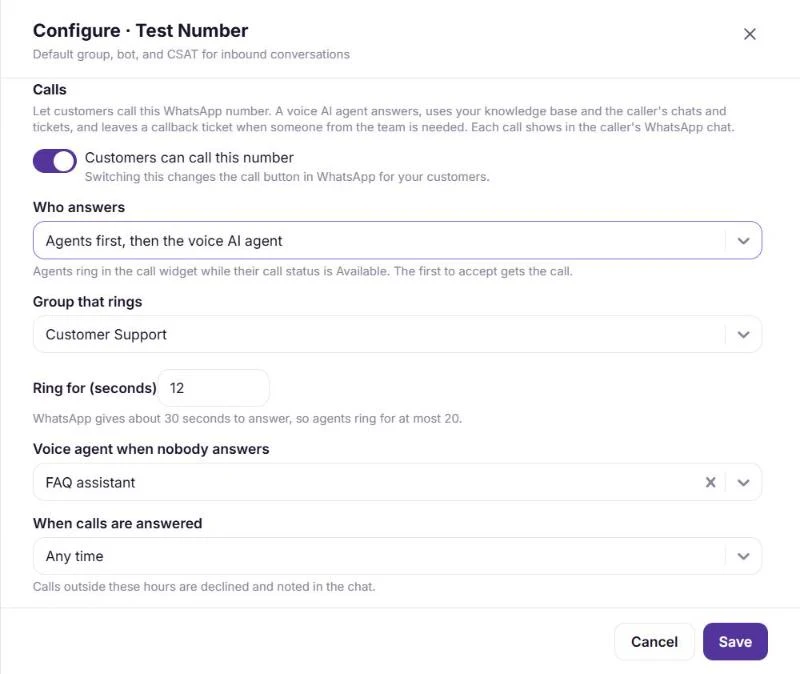
Go to Admin → Channels → WhatsApp (WABA), choose Configure on the number and open Calls. Switch on Customers can call this number, then choose who answers.
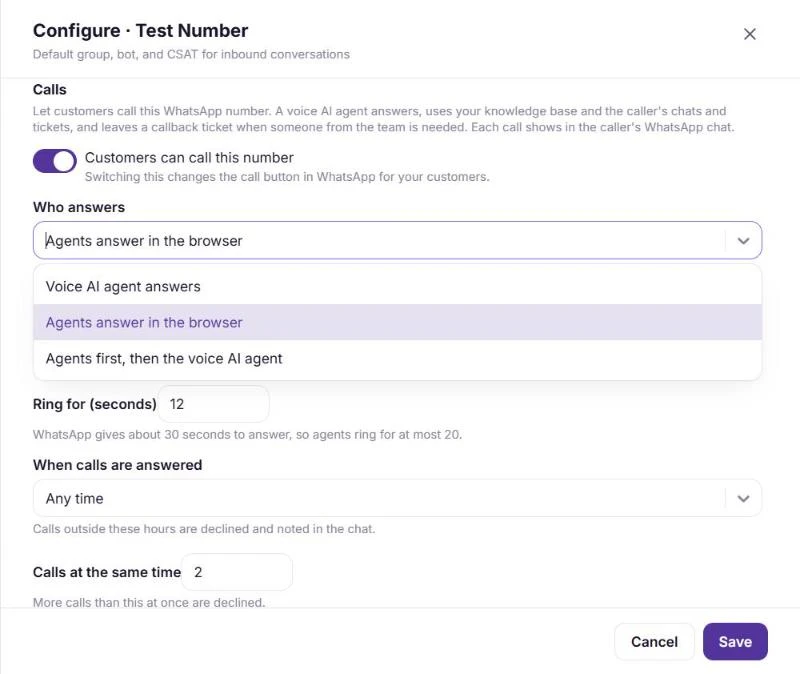
Pick Voice AI agent answers to have the agent take every call, or Agents first, then the voice AI agent to ring your team in the browser and let the agent pick up whatever they miss. Choose the Voice agent when nobody answers, keep the ring short (WhatsApp gives about 30 seconds, so agents ring for at most 20), set call hours and how many calls the number takes at once, and save.
Which answer mode to choose
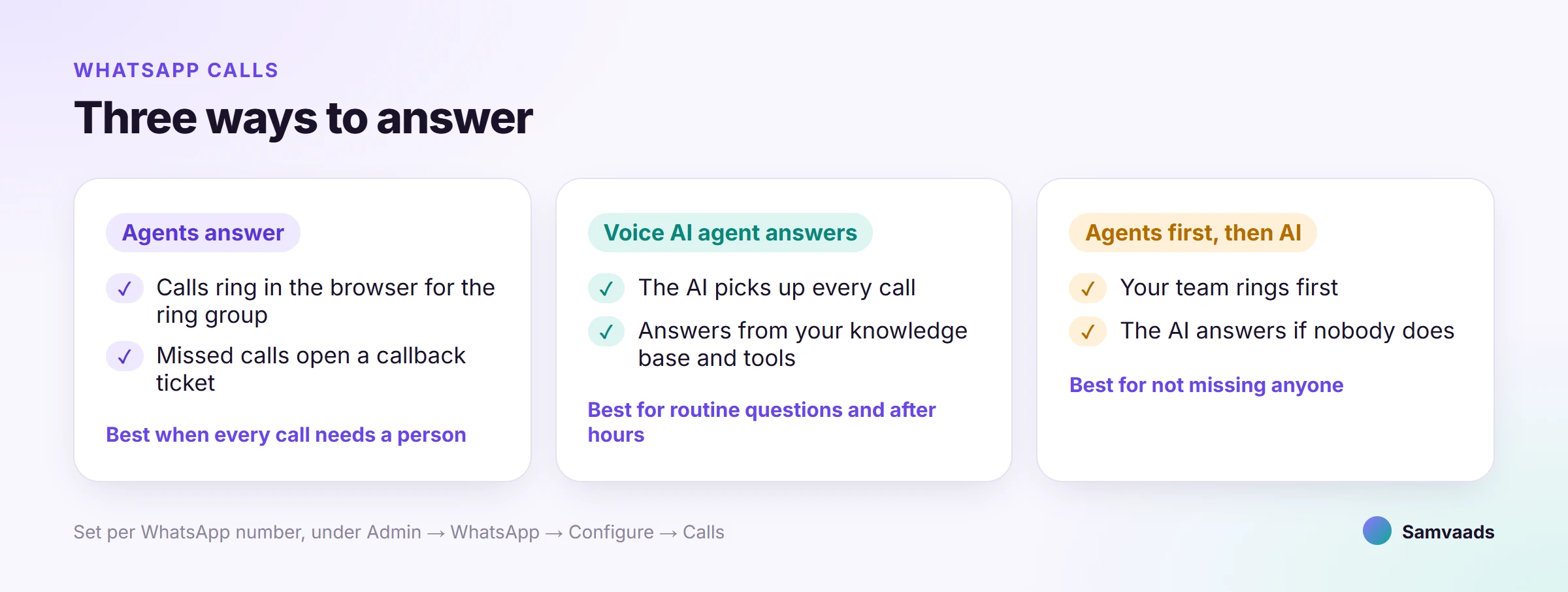
- Voice AI agent answers
Best for high volume, routine questions and after hours.
- Agents first, then the voice AI agent
Best for not missing anyone: your team gets the first chance, and the agent takes what they cannot.
- Agents answer in the browser
Best when every call needs a person. Missed calls open a callback ticket instead of going to the agent.
The same agent on your website and phone line
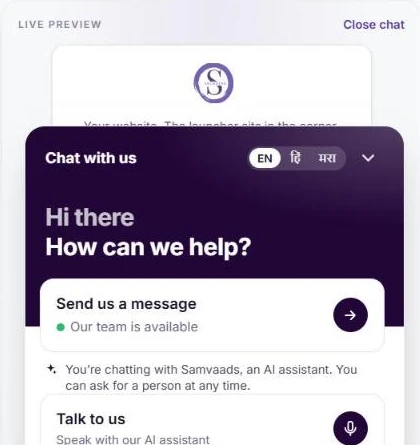
Voice calls is a channel mode, not a separate product. An agent with it switched on can also answer calls to your business phone number through Exotel, TeleCMI, Plivo or Twilio, and visitors who choose Talk to us in your website chat can speak to your AI assistant instead of typing.
What to know before you switch it on
- Customers call you; you cannot call them yet
Samvaads answers calls customers make. Calling customers over WhatsApp from Samvaads is not available yet.
- Plan and number requirements
WhatsApp calls are part of the Pro and Enterprise plans, the voice agent also needs AI agents, and Samvaads needs the number to be able to message at least 2,000 customers a day.
- AI voice minutes count
Calls the agent answers count toward your plan's monthly voice minutes, when your plan sets a limit.
- Your knowledge base is the ceiling
The agent only says what your articles and tools support, so cover the questions callers ask before you go live.
Questions people ask
Does it cost anything when a customer calls us?
Meta does not charge businesses for calls that customers start. Calls the voice agent answers use your plan's AI voice minutes.
Do we need a telephony provider?
Not for WhatsApp calls; they run over WhatsApp itself. You only need a provider for ordinary calls to a phone number.
What happens if nobody is available?
With the agent as fallback, it answers straight away. Without it, the call is missed and a callback ticket opens for the ring group. Every unanswered call is explained in a private note in the customer's chat.
Further reading
See it running in Samvaads
Everything described here is a real, shipping part of the product, not a roadmap item.