
WhatsApp Business API pricing in 2026, explained without the jargon
Meta now charges per delivered message, not per conversation, and since October 2026 even your replies can cost money. Here is what you pay for, what is still free, and how to keep the bill down.
 The Samvaads teamFeb 9, 20264 min read
In this post
From conversations to messages
Until mid-2025, Meta billed WhatsApp by the conversation: one charge covered a 24-hour window of back-and-forth. Since 1 July 2025 it charges for each message your business sends that is delivered. If you learned WhatsApp pricing before then, most of what you know about conversation charges no longer applies, and a chatty exchange now costs more than a single reply.
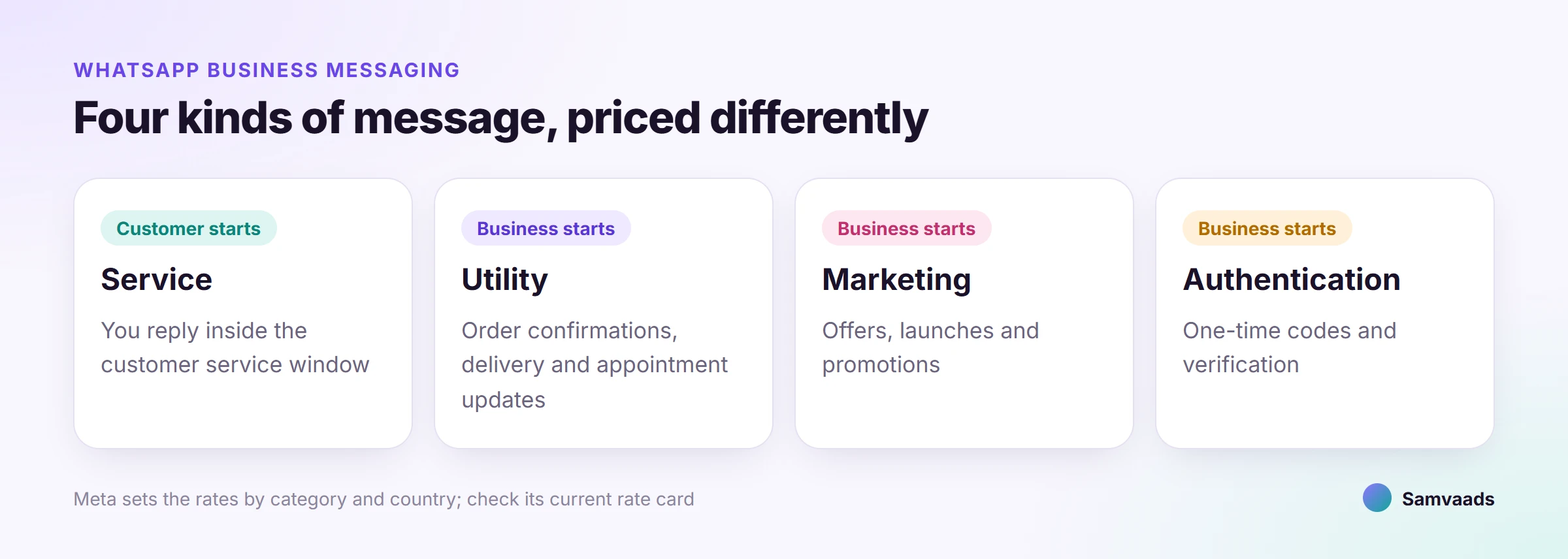
The four message categories
- Marketing
Offers, launches, abandoned-cart nudges and anything promotional. Sent as an approved template, and usually the most expensive category.
- Utility
Order confirmations, delivery updates and appointment reminders: messages about something the customer already did. Sent as a template.
- Authentication
One-time passcodes and sign-in verification. Sent as a template, with its own rates and, in some markets, a separate international rate.
- Service
Free-form replies inside the 24-hour customer service window, which opens when a customer messages or calls you. No template needed.
What is still free
- Everything customers send you
Incoming messages are never charged.
- The first 1,000 service messages each month,
per business phone number. Unused messages do not roll over.
- Free entry point conversations
When a customer replies to your Click-to-WhatsApp ad, the messages you send in that window are free for up to seven days, templates included.
What changed on 1 October 2026
Two things that used to be free are now billed. Service replies beyond the monthly 1,000 are charged per delivered message, and utility templates sent inside an open customer service window are charged too; they had been free since July 2025. Eligible government and non-profit organisations keep free service messages until the end of 2027.
For a support team that mostly replies to customers, this is the change that matters. A busy month of replies now has a cost, so solving the problem in fewer messages shows up on the bill as well as in your CSAT.
How each price is worked out
- The category
of the message.
- The recipient's country,
taken from their phone number's country code. Meta publishes a rate card by market.
- Your monthly volume,
for utility and authentication only: the per-message rate steps down in tiers as volume grows. Marketing and service have no volume tiers.
Meta changes rates only on 1 January, 1 April, 1 July and 1 October, and announces them in advance, so check its current rate card each quarter instead of trusting old numbers, including any you find in blog posts like this one. Businesses in India can now be billed in rupees; eligible accounts need to switch to INR billing by 31 December 2026.
A common billing mistake
The most frequent overspend we see is an order update or delivery reminder written in a promotional tone. Meta decides a template's category from its content, not from what you call it, so a utility message with a discount code or a sales line attached is treated as marketing and priced as marketing. Keep transactional updates plain, and send the offer as its own marketing message to people who opted in.
Five ways to keep the bill down
- Answer in one message, not four
Every delivered reply counts once you pass 1,000 a month, so a complete answer is cheaper than a string of fragments.
- Send updates that earn their place
One clear shipping update beats three status pings, and each utility template now costs money even inside an open window.
- Keep marketing separate
A plain utility template stays a utility template.
- Start conversations from Click-to-WhatsApp ads
Messages in a free entry point window cost nothing for up to seven days.
- Watch your volume tiers
If you send a lot of utility or authentication messages, the per-message rate drops as you cross each tier.
What this looks like in Samvaads
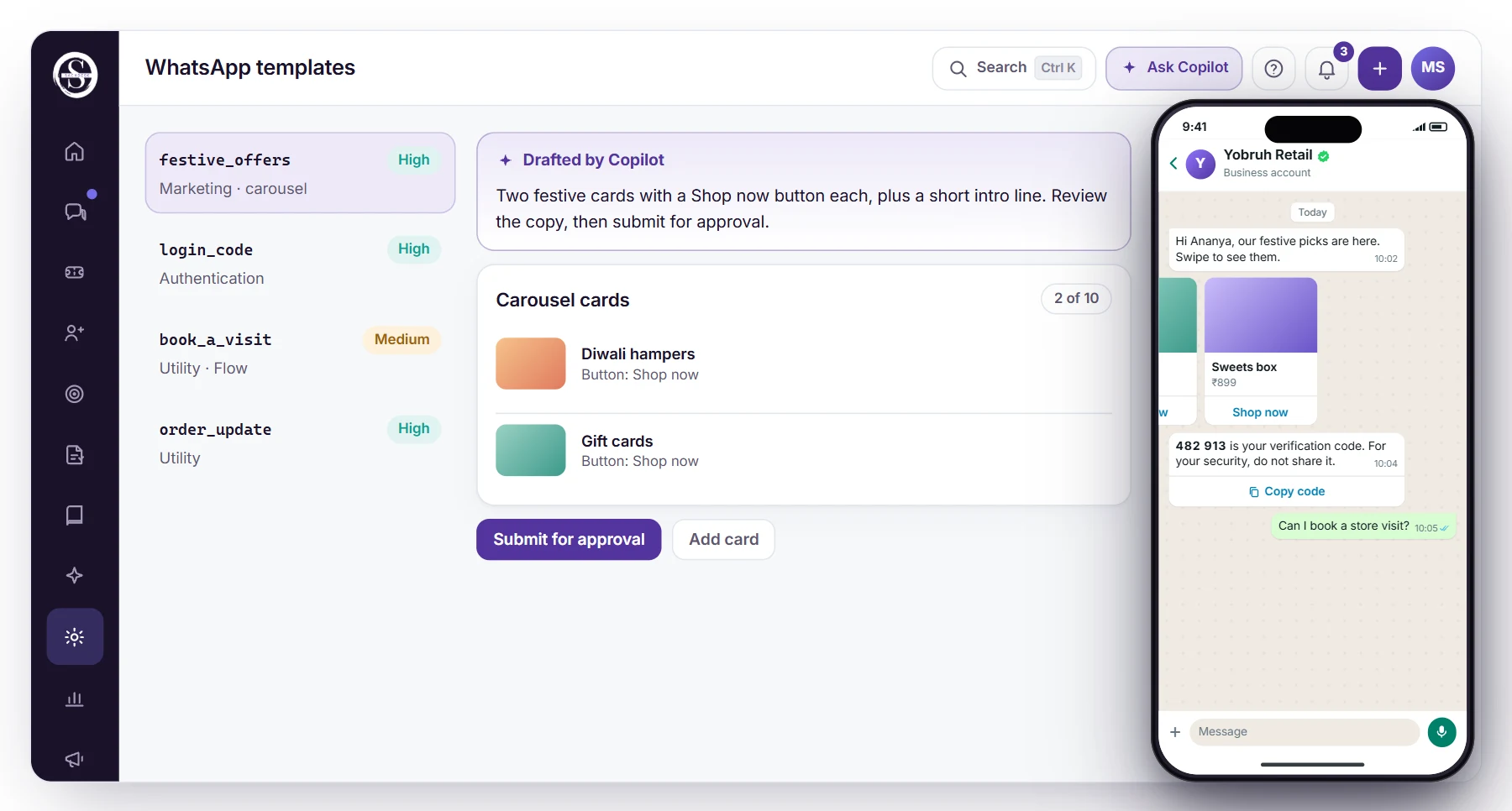
WhatsApp lands in the same shared inbox as every other channel, so a complete answer from the person who already has the context is the default, not a lucky break. Each template's quality rating sits beside it, Copilot drafts templates for you to review before submitting, and campaigns only reach people whose consent covers that kind of message. Your Samvaads plan is priced per agent; Meta's message charges are separate, as our FAQ on WhatsApp charges explains. The WhatsApp business support playbook covers templates in more depth.
See it running in Samvaads
Everything described here is a real, shipping part of the product, not a roadmap item.