
How to A/B test a campaign or a journey
Small changes to a message, like the subject line or the offer, can double replies. Testing on part of your audience first means the rest only get the version that works.
What you need
- Permission to create campaigns or journeys
- For WhatsApp: a second approved template with the same variables
Steps
Turn on the test
Set up the campaign as usual, then in step 4, A/B test, turn on Test different versions. Variant A is the message you already set up; give B (and C) another approved WhatsApp template, another email subject or body, or another SMS template.
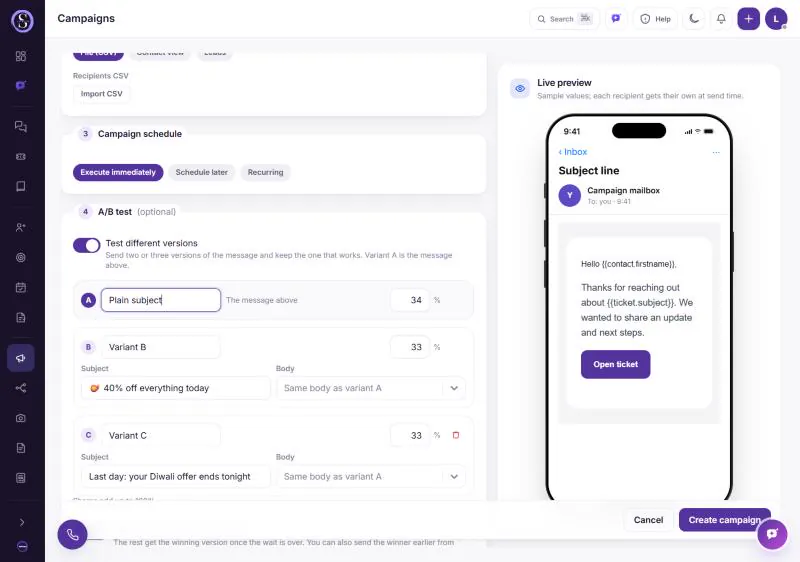
Three versions, each with its share. Test on part of the audience first
Leave Test on part of the audience first on to send the test to 10–50% of the audience (20% by default), wait 2–72 hours, then send the winner to everyone else. Choose how the winner is picked: reply rate, read rate, open or click rate, or conversion.
Read the results and send the winner
The campaign’s Variants tab shows each version’s sent, delivered, opened, clicked, replied and converted counts. The winner goes out on its own when the wait ends, or choose Send winner now.
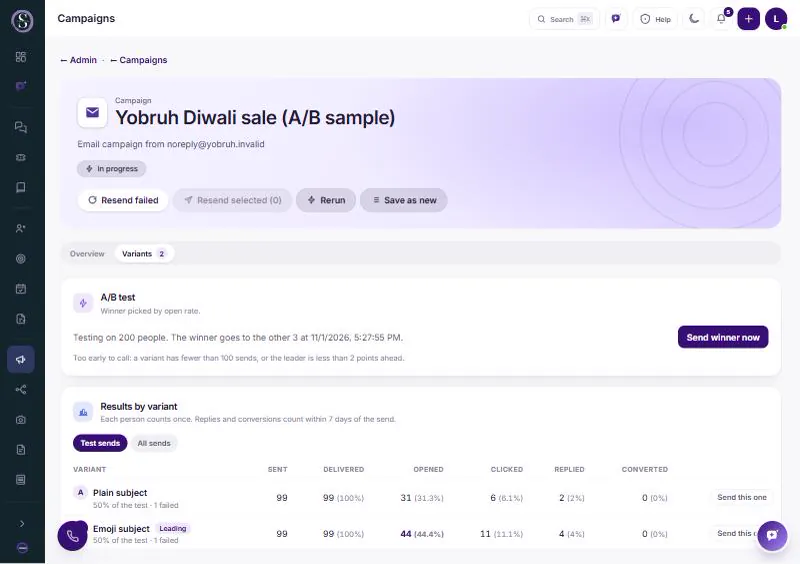
Results per version, and the winner. Split a journey
In a customer journey, add a Split (A/B test) block where the paths should part. Name each path and set its share, add path C if you like, and turn on Holdout group to send part of the audience nothing, so you can see what your messages add. Connect each path to its own steps and start the journey.
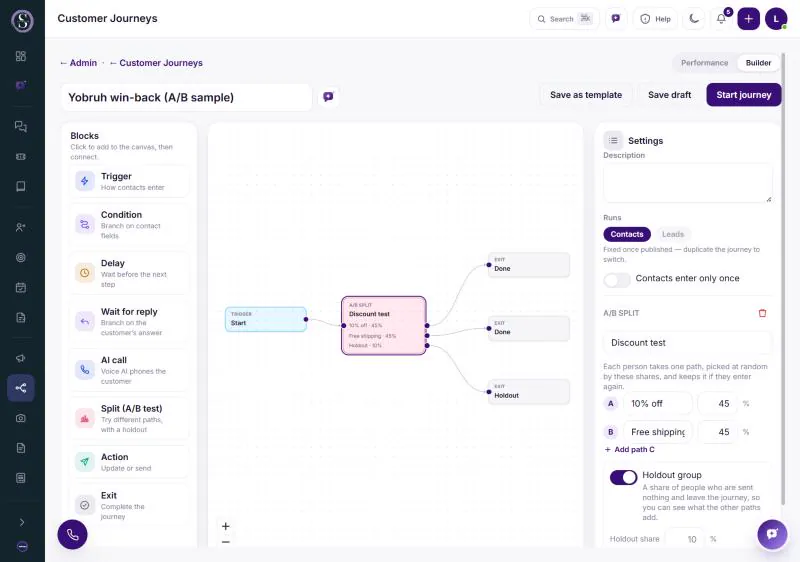
Two offers and a holdout group.
Frequently asked questions
Can a bad WhatsApp variant hurt my number?
A message people block or report can lower your number’s quality rating. Testing on part of the audience first limits how many people see a weak version.
Where do I see a journey’s results?
Open the journey’s Performance tab: each path shows how many people took it, replied and converted.
Want us to set it up with you?
Early customers onboard with our team beside them.