
How to follow up with lead sequences, and A/B test them
Most replies come after the second or third email, and most follow-ups never get sent. A sequence sends them for you, from your own address, and stops the moment the lead writes back.
What you need
- A Gmail or Outlook mailbox to send from, or one your admin shares with you
- Leads in Samvaads (how to capture leads)
Steps
Connect your sending mailbox
Go to Leads → Sequences → Sending mailbox and choose Connect Gmail or Connect Outlook. Mailboxes your admin shares with you are listed below, with how many emails each has sent today.
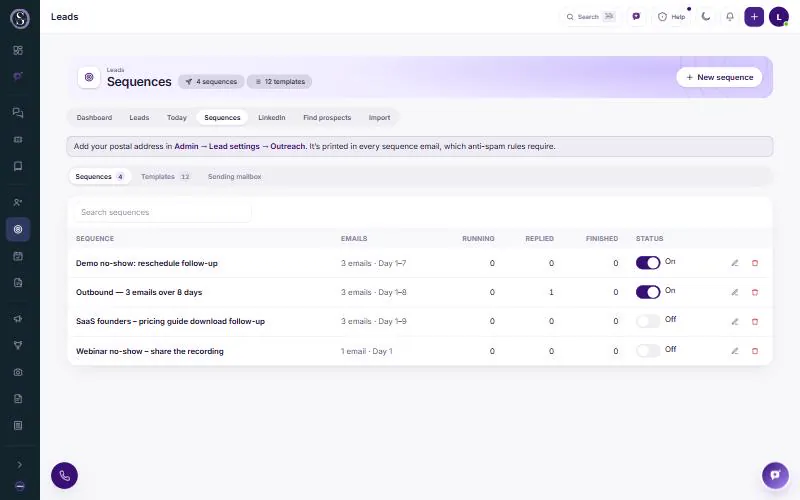
Your sequences, with running, replied and finished counts. Write your templates
On the Templates tab choose New template. Pick a plain email or a designed one, write the subject and text, and click a field chip to personalise it with the lead’s name, company or your own fields. Add a fallback such as {{lead.first_name|there}} so an email never goes out with a blank.
Build the sequence
On the Sequences tab choose New sequence. Set the day and template for step 1, then Add step for each follow-up. Leave Same thread on to send a follow-up as a reply to the first email. Click Save sequence.
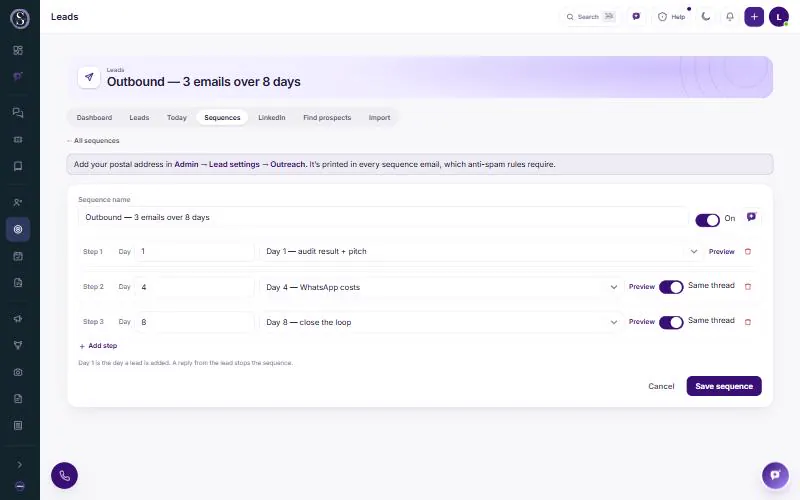
Three emails over eight days, in one thread. Test two versions of an email
Choose Edit sequence, then A/B test this email on a step and pick another template as variant B (or Add variant C). Each lead added from then on gets one version, split evenly.
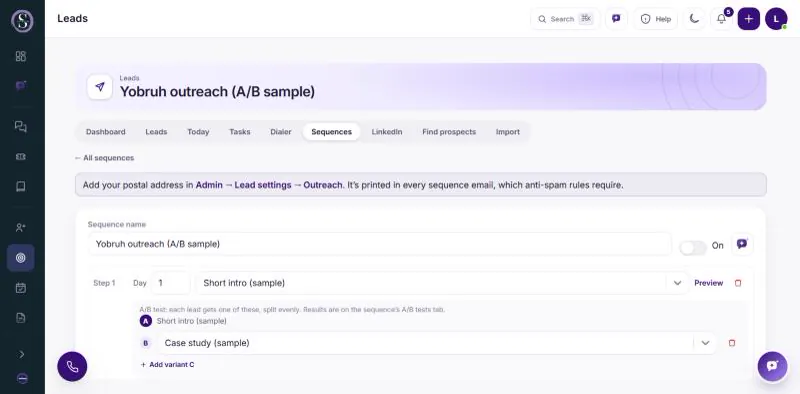
Two versions of the first email. Add leads and keep the winner
Tick leads in Leads → Leads and choose Add to sequence. On the sequence’s A/B tests tab, compare emails sent, opens, replies, bounces and unsubscribes, then choose Keep this one on the version that is ahead.
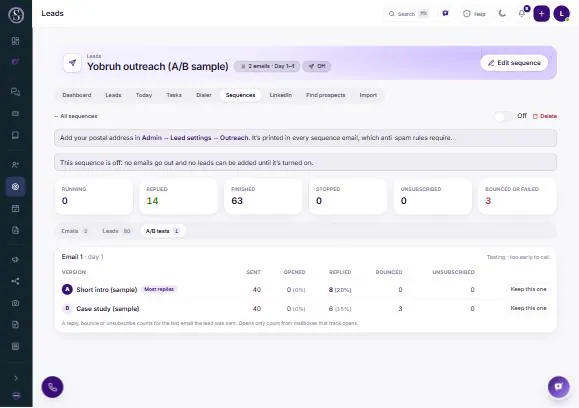
Replies per version, and Keep this one. Check on every lead
The sequence’s Leads tab shows where each lead stands: running, replied, finished, stopped or bounced, how many emails went out and when the next one is due. Choose Stop to end it for a lead.
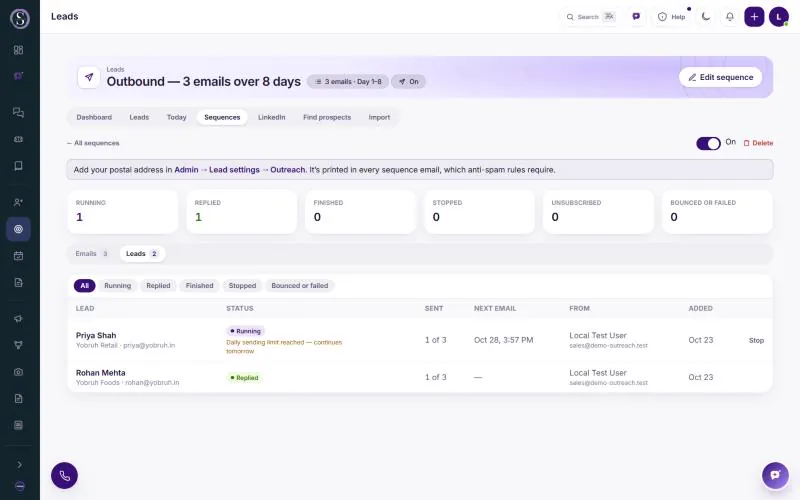
Each lead’s status and next email.
Frequently asked questions
What stops a sequence?
A reply from the lead, an unsubscribe or a bounce stops it for that lead. You can also stop it by hand.
Can I send WhatsApp in a sequence?
Sequences send email. To mix email and WhatsApp, build a customer journey, or send a single WhatsApp from the lead.
Is there a daily sending limit?
Yes. Each mailbox has a daily limit your admin can set, to protect your sending reputation. Emails over the limit go out the next day.
Want us to set it up with you?
Early customers onboard with our team beside them.