
How to capture leads and score them automatically
A busy sales team can’t call every lead the moment it arrives. Scoring puts the leads most likely to buy at the top of the list and the Today queue, and shows the reasons behind each score so nobody has to guess.
What you need
- Admin access to your Samvaads workspace, to change Lead settings
- Leads coming in, from a web form, a landing page, lead ads or an import
Steps
See where each lead came from
Leads from your web forms and landing pages remember the visitor’s first and latest visit: the UTM tags, ad click and referring site. Came from sums it up, such as Google Ads, LinkedIn or Product Hunt. Open a lead and choose Details next to Came from to see both visits, or filter Leads → Leads by it.
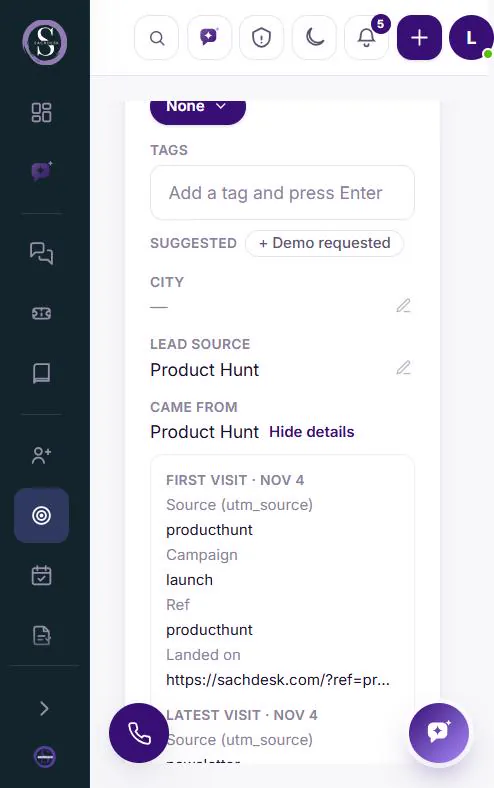
Came from, with the first and latest visit. Turn on scoring and set the fit rules
Go to Admin → Lead settings → Scoring and turn on Score leads. Fit rules add or take away points when a lead matches, for example Segment is D2C +10 or They reached out first +15. Rules can use your own lead fields. Fit adds up to 50 points.
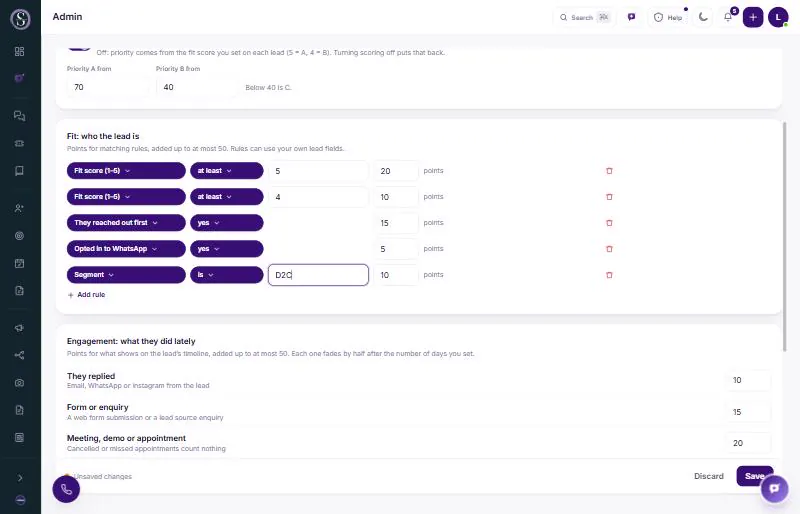
Fit rules: who the lead is. Set the points for what leads do
Engagement adds up to 50 more points for replies, forms, meetings, quotes and good calls, and takes points away for not interested or unsubscribing. Points halve after 30 days by default, so a lead that goes quiet slips down. Set where priority A and B start (70 and 40 by default).
Test it on a real lead, then save
Pick a lead under Test on a lead and choose Score this lead to see its score and every reason behind it. When it looks right, click Save. Every lead is scored in the background within a few minutes.
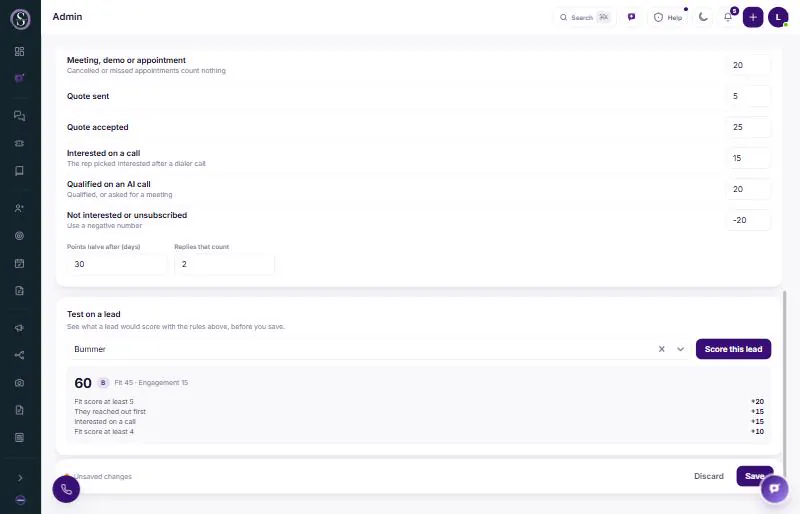
A lead’s score and the reasons behind it. Let Copilot adjust scores (optional)
Turn on Let Copilot adjust scores. Once a day Copilot reads the recent emails, messages and calls of each active lead and adds or takes away up to 15 points for things rules can’t see, such as budget, timing or a clear no. Its one-line reason shows with the score, marked AI.
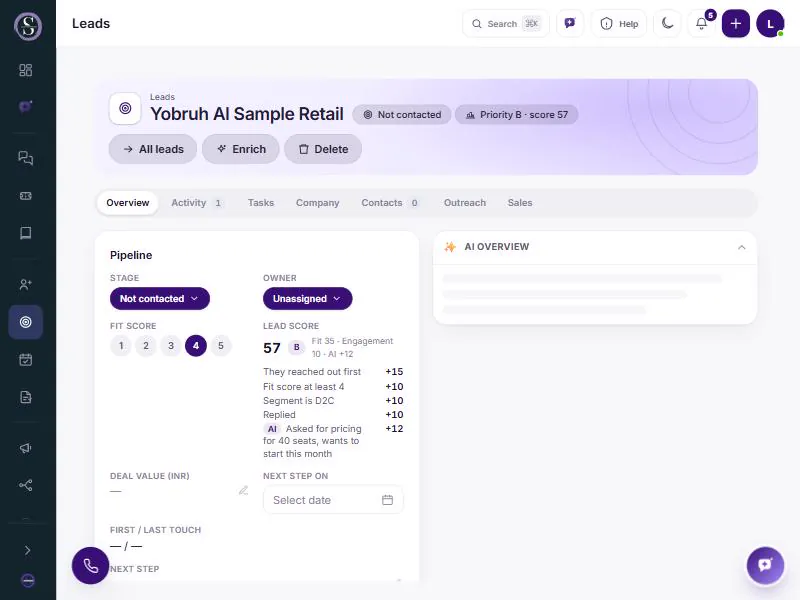
The AI’s points and its reason, beside the rules.
Scores update on their own when something happens on a lead. The list and board show each lead’s score beside its priority, the list has a score filter, and the Today queue, campaigns, journeys and lead workflows can all use it.
Frequently asked questions
Do email opens count towards the score?
No. Opens and clicks are unreliable, so only replies, forms, meetings, quotes and calls count.
Can I be told when a lead becomes an A?
Yes. A lead workflow can start when a lead’s score changes its priority, for example to notify the owner or create a task.
How do I tag a campaign link so Came from is right?
Add utm_source (and utm_medium and utm_campaign if you like) to the link, for example yoursite.com/?utm_source=newsletter.
Want us to set it up with you?
Early customers onboard with our team beside them.