
How to call leads with the power dialer
Reps lose most of a calling hour finding the next number, dialling and writing notes. The dialer lines up the next lead, shows what you need to know, and logs the call for you.
What you need
- A calling number connected under Admin → Voice / calling (Exotel, Plivo, TeleCMI or Twilio)
- Your mobile number verified on your profile, or browser calling turned on
- Leads with phone numbers
Steps
Call one lead
Open a lead or deal and click Call. The lead’s phone rings first; when they answer, your phone rings and you are connected. Calls only go out between 09:00 and 21:00.
Start a calling session
Go to Leads → Dialer → Calls and pick who to call: My Today queue, My open leads or a sequence’s leads. Leads with no number, marked do-not-call, or cold are left out, and the count shows how many. Click Start calling.
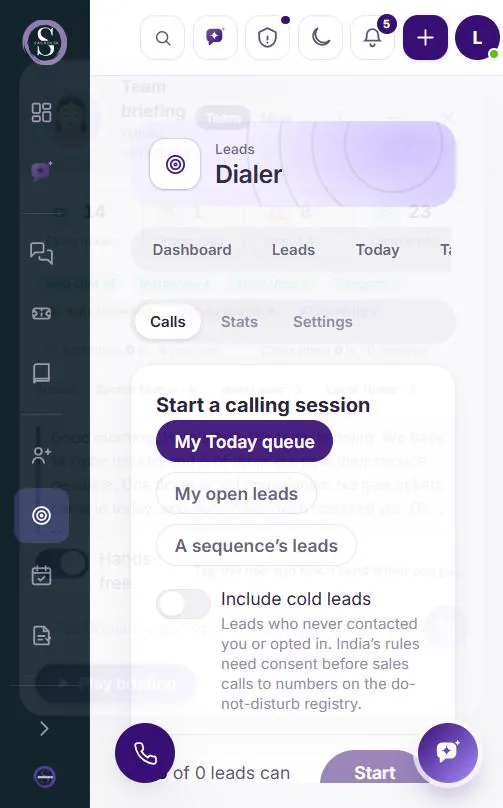
Pick a list and start. Call, then pick the outcome
Each lead’s card shows the stage, phone, next step and recent touches. Click Call, talk, then pick how it went: interested, not interested, call back later, no answer, wrong number or do not call. Use the number keys for speed, add a note, and the next lead comes up.
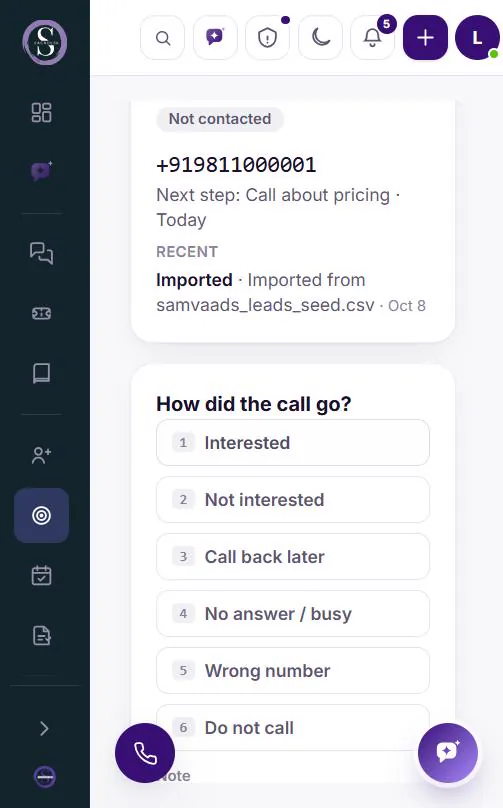
The lead card and one-click outcomes. Call from your browser (Exotel)
An admin adds the browser calling Client ID and Secret to the Exotel number and chooses Set up. Agents then open the call widget, choose Use browser phone and allow the microphone. Calls ring in the browser instead of on a mobile, and incoming calls ring there too.
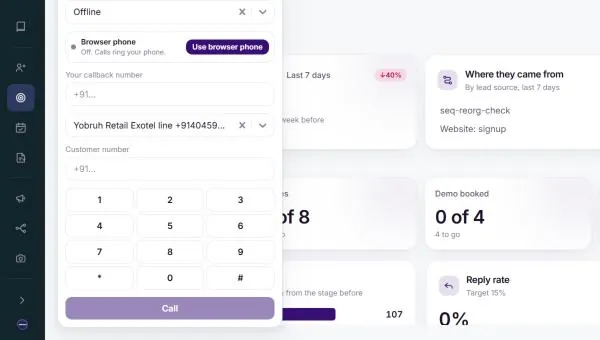
The call widget, ready to use as a browser phone. Watch the numbers
The Stats tab shows calls, connected calls, connect rate and talk time by rep. The Settings tab lets a manager change what each outcome does to the lead and which outcomes count as connected.
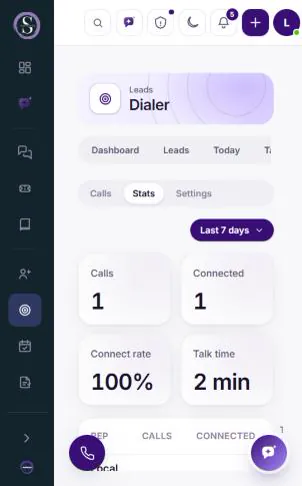
Calls, connect rate and talk time.
Frequently asked questions
What number does the lead see?
Your workspace’s calling number, never your personal mobile.
Are calls recorded?
When recording is on for the number, each call’s recording and talk time are saved on the lead’s timeline.
Can an AI agent make the calls instead?
Yes. On the Calls tab choose The AI agent calls them. See AI calls to leads.
Want us to set it up with you?
Early customers onboard with our team beside them.