
How to add Samvaads chat to your mobile app
Customers who use your app shouldn’t have to leave it to get help. The SDK puts your chat in the app, and changes you make to the widget in Samvaads reach the app straight away, with no app release.
What you need
- Your website widget set up (how to add it)
- Your workspace ID, from the install snippet in Admin → Website widget
- A developer who can add a package to your app
Steps
Install the SDK
iOS: add the Swift package github.com/sachdesk/samvaad-ios, or the Samvaad pod. Android: add com.samvaads:widget. React Native: npm install @samvaads/react-native-widget. Flutter: flutter pub add samvaad_widget. The developer docs have the details for each.
Open the chat from your app
Start the SDK with your workspace ID and open the chat from a Help or Chat button. It opens full screen, with Home, Messages and Help, in light or dark to match your app.
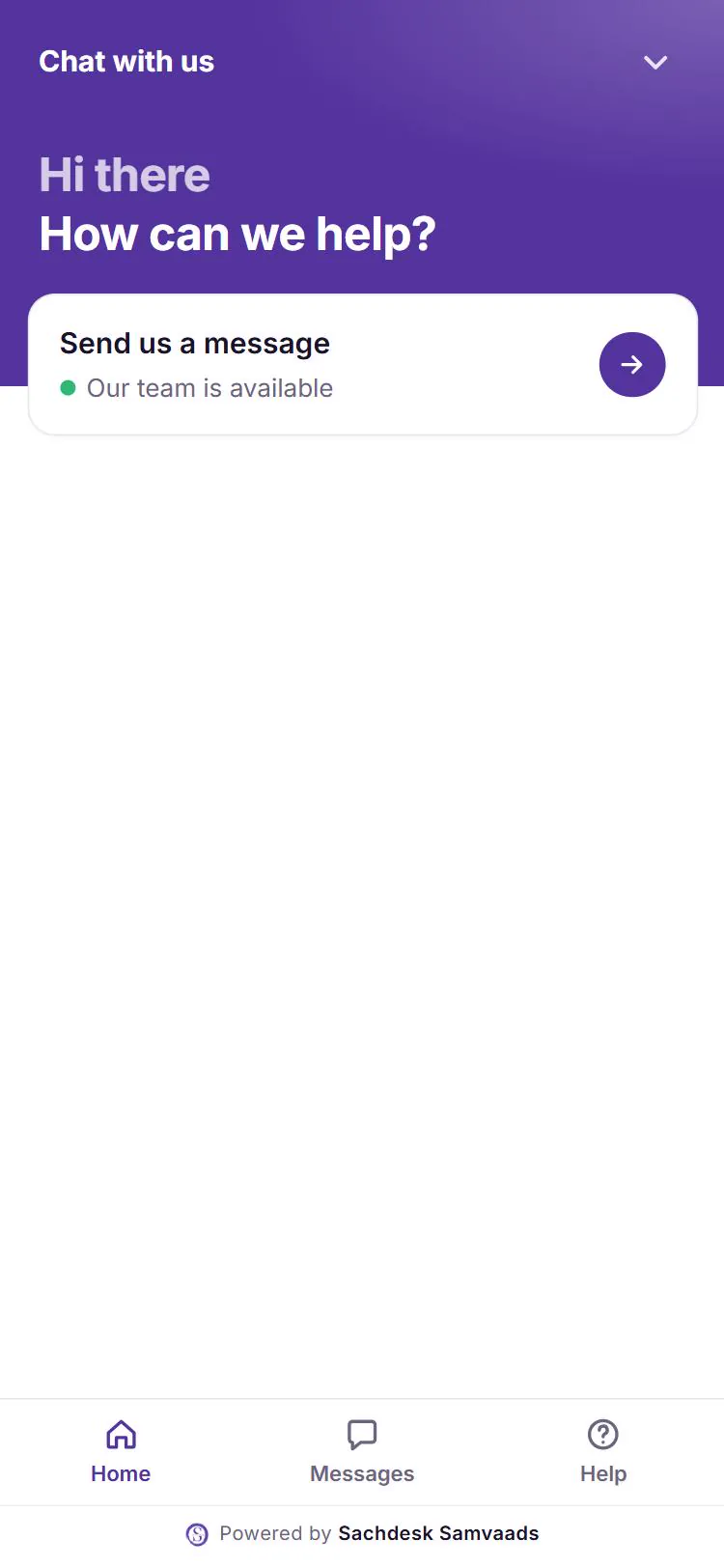
Your chat, inside your app. Link signed-in customers
For customers signed in to your app, sign their email or ID on your server with the secret under Admin → Website widget → Identity verification and pass it to the SDK. Their chats then join their customer record.
Notify customers of replies
In Admin → Website widget → Mobile apps, add your Firebase key, and your Apple push key for iOS apps without Firebase. Pass each device’s push token to the SDK. When your team or AI agent replies while the chat is closed, the customer gets a notification that opens the chat.
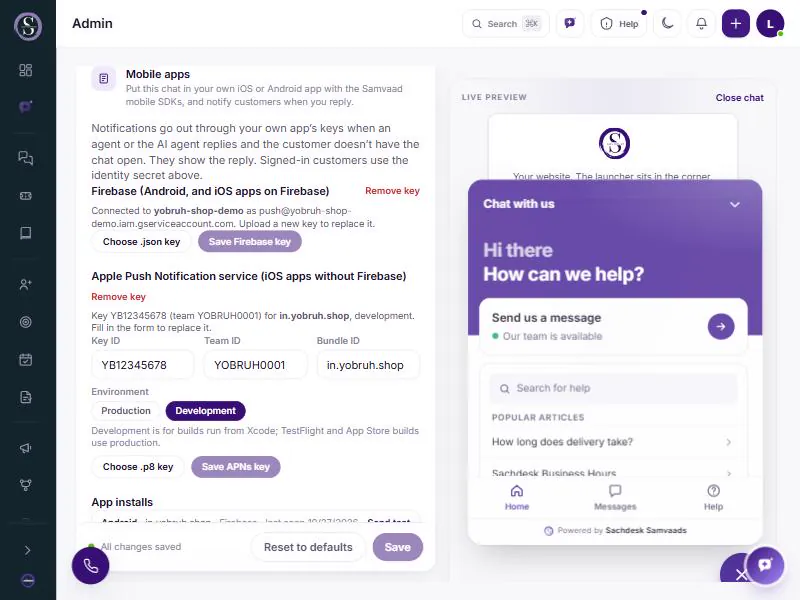
Push keys for Android and iOS.
Frequently asked questions
Do I need to release my app to change the chat?
No. Colours, texts, the AI agent and help articles come from your widget settings in Samvaads, so changes show up straight away.
Can I show an unread badge?
Yes. The SDK tells your app how many unread replies there are, so you can show a badge on your Help button.
Want us to set it up with you?
Early customers onboard with our team beside them.