
How to turn qualified leads into deals and track your forecast
Leads are for finding out who is worth selling to; deals are for closing them. Converting keeps the two linked, so nobody works the same prospect twice and the lead’s history stays with the deal.
What you need
- Leads and deals in your workspace
- Admin access to change Lead settings
Steps
Choose when a lead can be converted
In Admin → Lead settings → Pipeline, under Convert to deal, pick the stage from which leads can be converted, and optionally where to move the lead after converting. Leave move the lead to Won or Lost on so the lead follows its deal. Click Save.
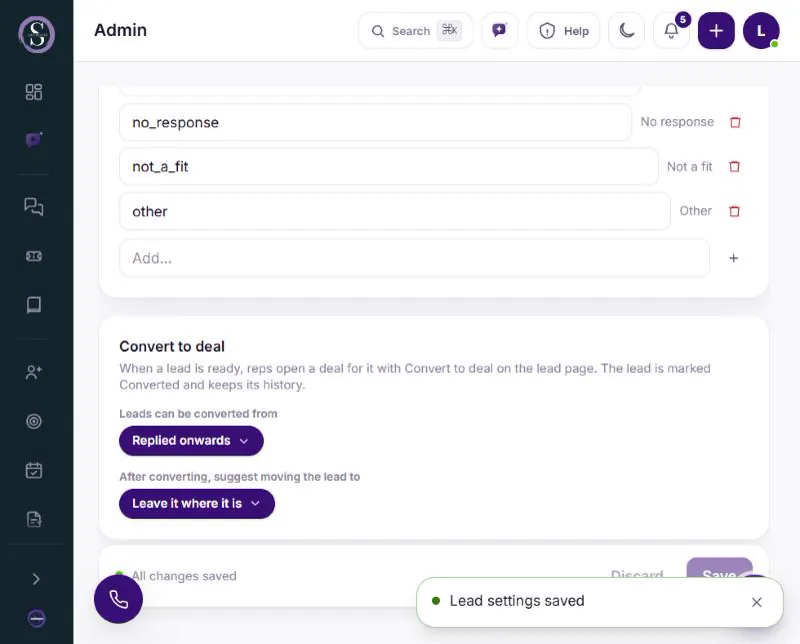
Convert from the stage you choose. Convert the lead
Open a qualified lead and click Convert to deal. Check the deal’s name, amount, currency, stage, expected close date and owner, which start from the lead’s details. Click Convert to deal.
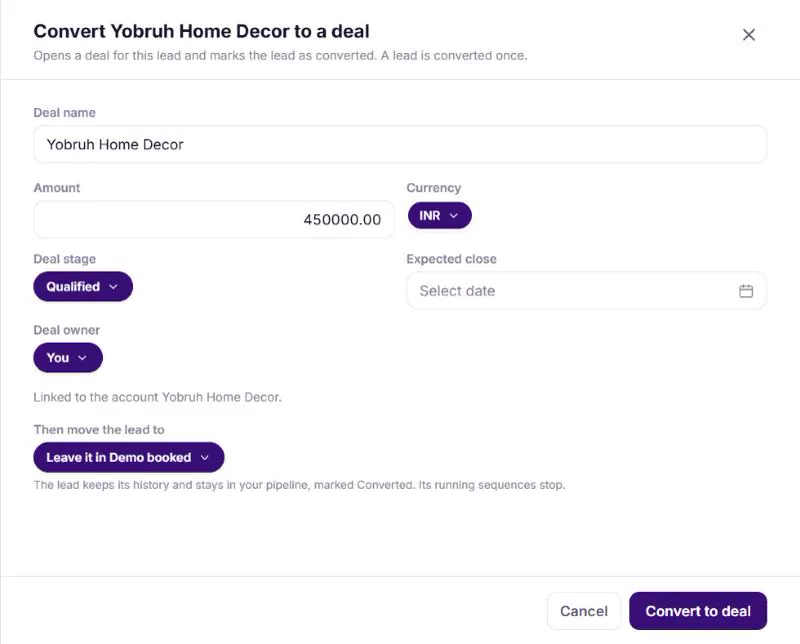
The new deal starts from the lead’s details. Work the deal
The lead is marked Converted with a link to its deal, and its running sequences stop. Move the deal through its stages, send quotes and add tasks from the deal page.
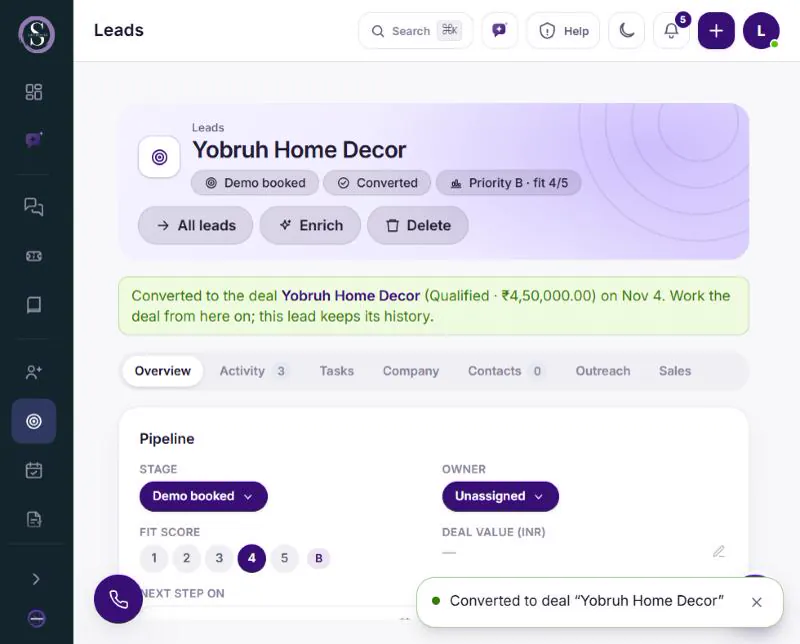
The converted lead points to its deal. Mark it won or lost
Close the deal on the deal page, or from the lead with Mark won or Mark lost. The lead moves to Won or Lost with it, and on a win its company or contact becomes a customer.
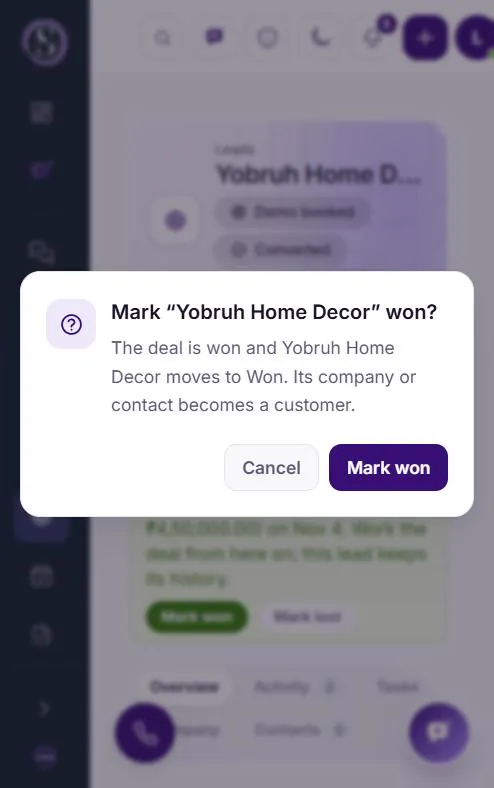
One click closes the deal and the lead. Read the forecast
Go to Sales → Dashboard → Forecast for this month, next month, this quarter or next quarter. Each rep’s closed, commit, best case and pipeline amounts are shown against their quota; click any amount to see the deals behind it. Set quotas with Quotas.
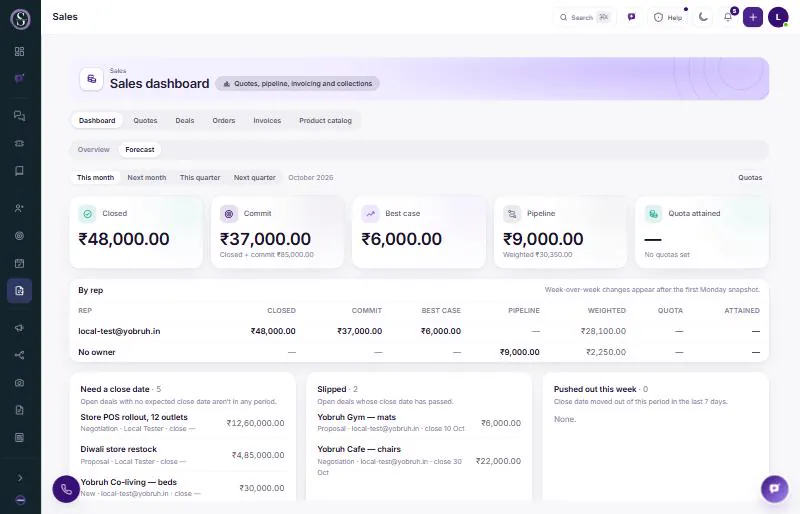
What will close, by rep, with the deals that need attention.
Frequently asked questions
Can I undo a conversion?
Yes. Delete the deal and the lead loses its Converted mark and can be converted again.
Which deals count in the forecast?
Open deals count in the month of their expected close date, and won deals in the month they were won. Deals with no close date are listed under Need a close date.
Want us to set it up with you?
Early customers onboard with our team beside them.