
How to check and improve your AI agent every week
An AI agent gets better when you show it where it went wrong. Reviews tell you which answers were poor and why; gaps tell you which questions it had no answer for; the weekly report shows whether it is improving.
What you need
- An AI agent answering customers
- Admin access for the settings
Steps
Turn on auto-review
Go to Admin → Conversation quality → Settings, turn on Auto-review and set how many resolved conversations to review: 25% of AI agents’ and 10% of people’s by default, or a rate per channel. Click Save settings.
Set your rubric
On the Rubric tab, describe what good looks like for each criterion (understood the issue, accurate, resolved, tone, followed process) and set its weight. Add your own, such as “Confirmed the order number”. Turn on a separate rubric for AI agents if they should be scored differently.
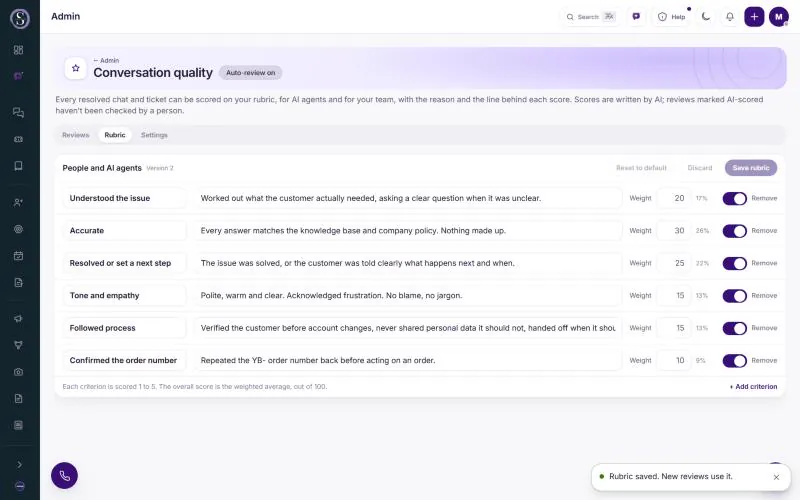
Your criteria, in your words. Read the reviews
The Reviews tab shows the average score and flagged reviews. Filter by AI agents or people and sort by lowest score. Open one to see each criterion’s score, the reason and the exact line it is based on.
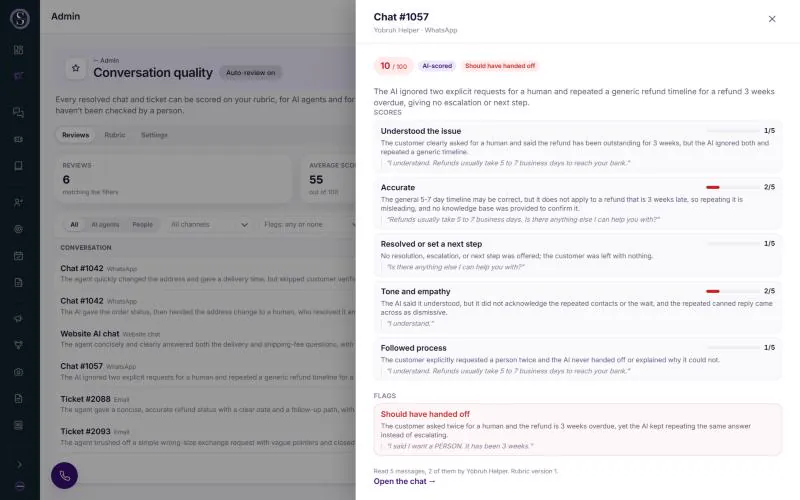
Every score comes with its reason. Fill the knowledge gaps
Open Knowledge base → Gaps: questions your AI agents, Copilot and help centre couldn’t answer, grouped and ranked by how often they were asked. Open a gap and choose Draft article. Copilot writes it from how your team answered those customers; check it and publish.
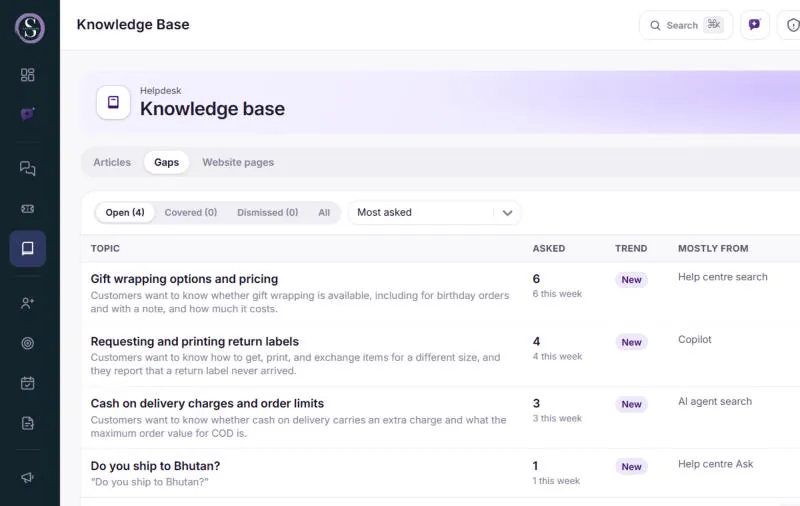
The questions your AI couldn’t answer. Read the weekly report
Every Monday, admins get an email with how many chats the AI resolved on its own, its quality score beside your team’s, its weakest areas, answers marked wrong, and the questions it couldn’t answer. Change who gets it in Admin → Scheduled reports.
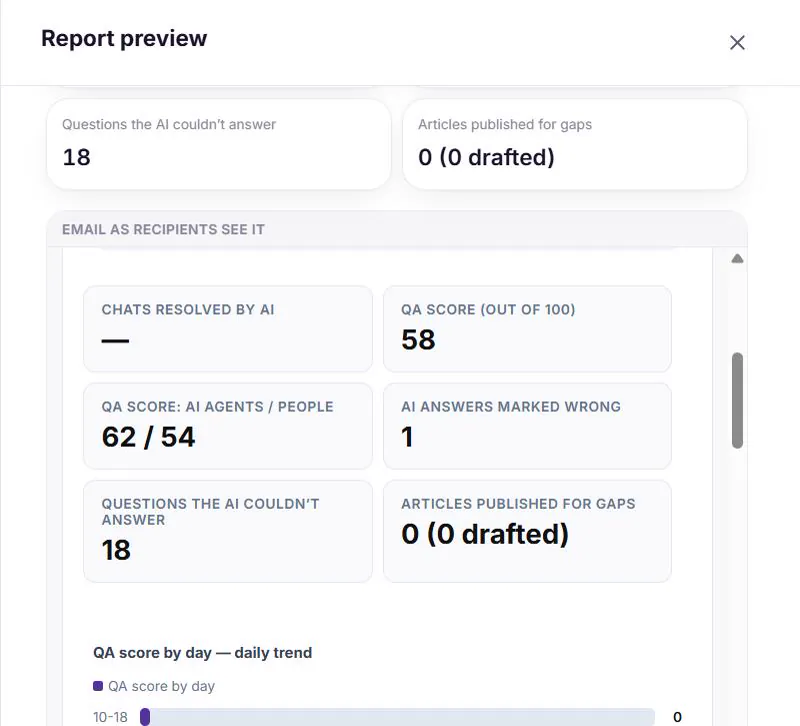
How the AI did last week.
Frequently asked questions
Can my team correct a review?
Yes. Admins and team leads can change any score, and the AI’s original score stays visible beside theirs.
What if the AI gave a wrong answer?
Click Wrong answer on its message. It is flagged in the review and listed in Gaps as answered wrong, so it is fixed first.
Want us to set it up with you?
Early customers onboard with our team beside them.