
How to take orders and payments inside WhatsApp
Every step outside the chat loses buyers. With checkout in WhatsApp, the cart, the address, the delivery choice and the payment all happen in the conversation the customer started.
What you need
- Your products in the WhatsApp catalog (how to set it up)
- For pay now: a Razorpay or Stripe account, or a payment configuration in WhatsApp Manager for Pay in WhatsApp (India)
Steps
Add your delivery options
Go to Admin → Sales → Quotes & catalog → WhatsApp checkout → Delivery. Add each option with its fee and delivery time, for example Standard and Express, and an optional Free delivery over amount. Click Save.
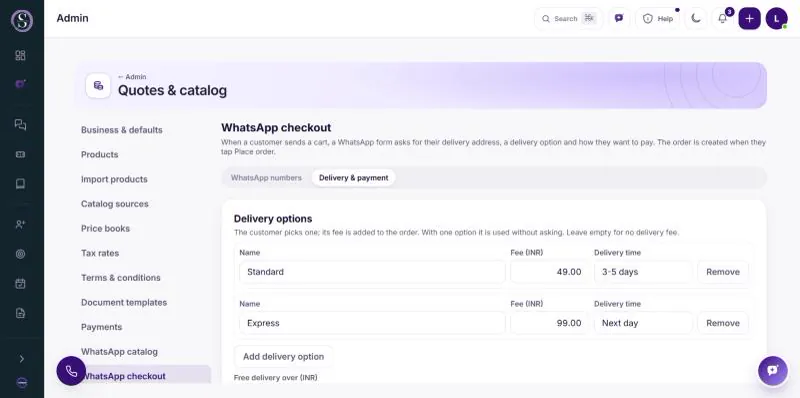
Delivery options and their fees. Choose how customers pay
On the Payment tab, turn on Cash on delivery (with an optional limit) and Pay now. Pay now sends a payment link, or uses Pay in WhatsApp when you set it up below.
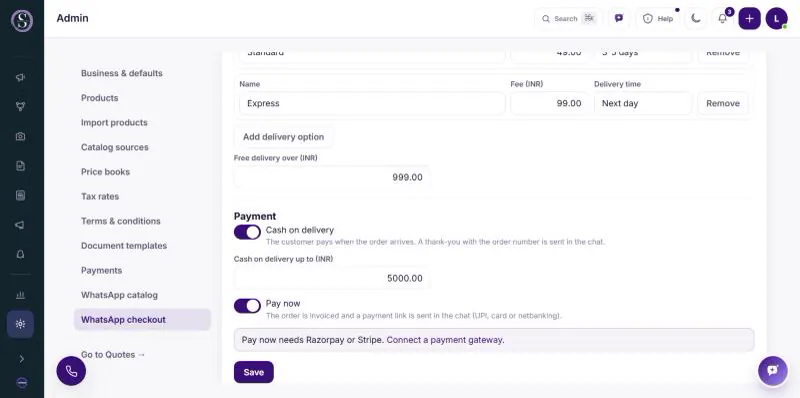
Cash on delivery and pay now. Set up the checkout form on your number
On the WhatsApp numbers tab, choose Set up checkout form next to the number and wait for Ready. Then choose Checkout in WhatsApp for what happens when a cart arrives.
Take payment inside WhatsApp (India)
In WhatsApp Manager → Account tools → Payment configurations, connect your Razorpay, PayU, BillDesk or Zaakpay account. Back in Samvaads, pick it on the Payment tab and turn on Pay in WhatsApp. Customers then pay by UPI, card or netbanking from an order card in the chat.
Keep customers posted
Turn on Order updates to message customers when their payment arrives and when the parcel is shipped, out for delivery and delivered. Ship each order with its order number so courier updates are matched.
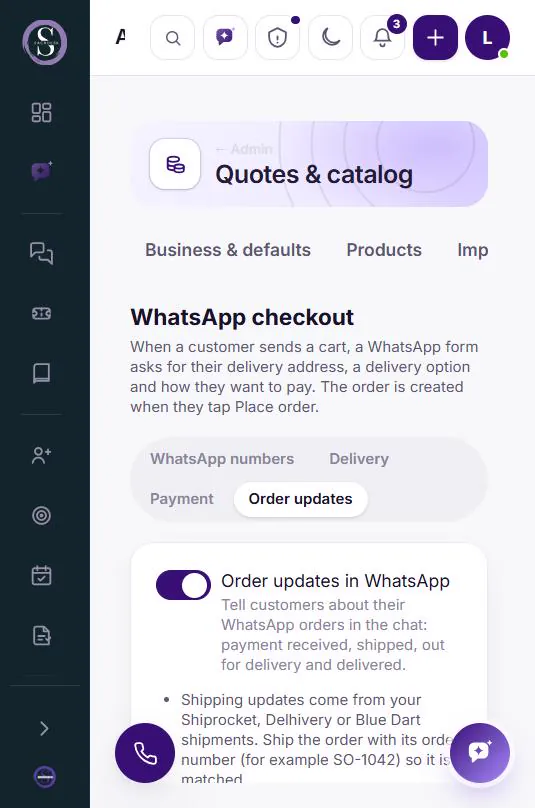
Payment and shipping updates in the chat.
Frequently asked questions
Where do the orders appear?
Under Quotes & catalog → Orders, with the address, the delivery fee and how the customer is paying. Your team also sees a note in the chat.
Where does the money go?
Straight to your own payment gateway account. Samvaads records the payment on the invoice.
Want us to set it up with you?
Early customers onboard with our team beside them.