
How to recover failed deliveries on WhatsApp
A failed delivery attempt is the last chance to save a parcel before it heads back to you. Asking the customer straight away, on WhatsApp, gets the courier a new time or address before the next attempt.
What you need
- A courier account connected under Admin → Shipping (Shiprocket, Delhivery or Blue Dart)
- A WhatsApp number connected to Samvaads (how to connect it)
Steps
Create the WhatsApp template
In WhatsApp Manager, create a Utility template with quick-reply buttons Deliver again and, if you like, Change address and Return it. For example: “Hi {{1}}, {{3}} couldn’t deliver your order {{2}}. What should we do?”
Turn on failed-delivery messages
When Meta approves it, open Admin → Shipping → Failed deliveries, turn on Message customers after a failed delivery and pick the template. Set the wait time and reminder, and whether the AI voice agent calls customers who don’t tap.
Choose where answers go
Turn on Send answers to the courier for Shiprocket and Delhivery: deliver again and a new address go straight to the courier. Answers the courier can’t take, and every Blue Dart answer, become a ticket for the group you pick. Turn on Open a ticket when a parcel is returning or lost to follow those up too.
Check delivery issues
Customers → Store orders → Delivery issues lists every parcel whose last attempt failed, with the courier’s remark, the attempts and the customer’s answer. Choose Answer to record what a customer told you on the phone.
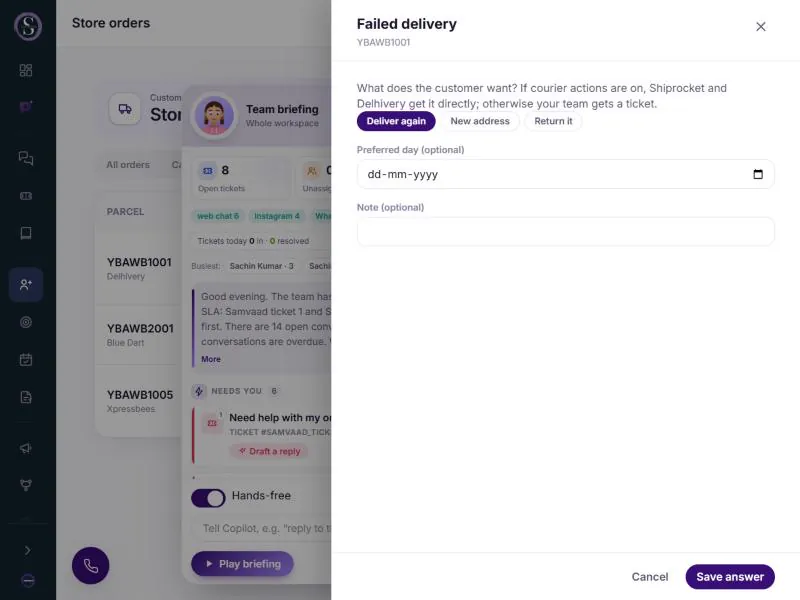
Record the customer’s answer for a parcel.
Frequently asked questions
Does it work for every store?
It works for every parcel shipped through a connected courier account, whichever store the order came from.
What about parcels already returning?
Parcels on their way back are listed under Returning (RTO). Turn on the ticket option to have your team follow each one up.
Want us to set it up with you?
Early customers onboard with our team beside them.